1
ProFire Lightbridge User Guide
|
3
About ProFire Lightbridge
3
P
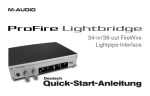
roFire Lightbridge is a 1U, half-rack audio interface
designed to greatly expand the power of your
digital studio. It provides a total of 34 digital inputs and
outputs plus two analog outputs over a single FireWire
connection. The interface’s four optical inputs, four
optical outputs, and S/PDIF input and output let you
connect all of your digital gear to your Windows or Mac
computer and send and receive audio from all of these
devices at the same time.
IMPORTANT: ProFire Lightbridge comes with premium
six-pin-to-six-pin and four-pin-to-six-pin FireWire cables.
We strongly suggest you use one of these cables to
connect the interface to your computer. If you must use
another FireWire cable, please use a high-quality cable
to ensure optimum audio performance. If your computer
is equipped with a six-pin interface, use the six-pin-tosix-pin cable; if your computer has a four-pin interface,
use the four-pin-to-six-pin cable.
If your Windows PC is not equipped with a native FireWire
port, you can purchase a FireWire add-on card at any
computer electronics retailer. All compatible Macintosh
computers have built-in FireWire ports.
Note that when using the four-pin cable, the external
power supply must be used. However, a six-pin cable
draws power from the FireWire bus and therefore does
not require the power supply.
Each of the ProFire Lightbridge interface’s optical I/O
ports can transmit multiple channels of digital audio
using the ADAT Optical Standard. This format supports
eight channels of audio when operating at a sampling
rate of 44.1 or 48kHz, or four channels of high-resolution
audio at 88.2 or 96kHz using S/MUX mode. Two
channels of S/PDIF I/O are also provided via coaxial
RCA connectors, as well as two channels of balanced
analog outputs on 1/4” TRS connectors. By default, the
analog outputs will mirror the S/PDIF outputs; however,
the analog outputs can be configured as independent
outputs via the software control panel. Finally, ProFire
Lightbridge has a front-panel headphone output with its
own dedicated level control.
This interface includes a multitude of word clock
synchronization options and can operate as either a clock
master or slave. As a word clock slave, the interface can
sync to a digital source from any of its optical or S/PDIF
inputs. Furthermore, the interface can sync to incoming
word clock via its BNC word clock input, or output word
clock via the BNC output.
ProFire Lightbridge is also equipped with on-board MIDI
I/O ports, enabling you to connect your MIDI-compatible
devices to your DAW through the interface. Use these
ports to hook up a MIDI controller keyboard, synth
module, or to input/output MIDI Time Code (MTC) to
synchronize your hardware or software sequencer.
NOTE: Some computer manufacturers may use a different
nomenclature to refer to their FireWire connections, such
as Sony’s “iLink,” or simply “1394.” These connectors
are compatible with ProFire Lightbridge.