1
SIPO 2163
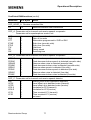
"Execute"
A file name is asked for and then checked for validity. Any file which was previously
recorded with the "Note" function, may be read and executed. If the file name is invalid
or non-existent, an error message is shown and the execute command is aborted.
"Note"
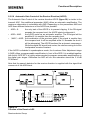
It is possible to record all activities between the ARCOFI-SP and ARCOS-SP PLUS. The
feature "Note" can be turned on or off to record all actions in a pre-named file.
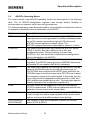
To implement "Note" the user has to activate the pull-down menu. When "Note" is active,
the menu command will have a check mark to the left of it. Once active, one has to name
the file and give an appropriate extension to it. The file extension depends on what one
wants to record, either a sequence of commands or just a line input.
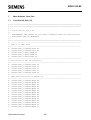
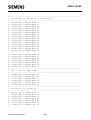
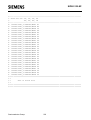
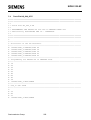
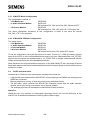
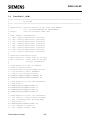
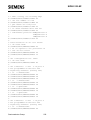
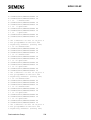
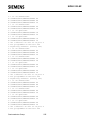
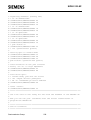
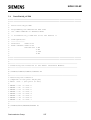
• Extension *.ARC : ARCOFI-SP sequence of commands: only ARCOFI-SP
programming
• Extension *.ARS : ARCOS-SP PLUS commands; a record of every key stroke or
mouse activity
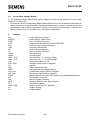
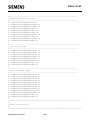
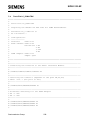
The *.ARS file consists of a list of all commands that the user has entered via the
ARCOS-SP PLUS dialogue mode to program the ARCOFI-SP. It is possible to read the
*.ARC file and review what was programmed. The *.ARS commands, however, are
written in an ARCOS-SP PLUS specific program language to program the ARCOFI-SP.
This feature allows to run a test pattern several times without looking at the file, thereby
saving time.
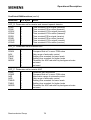
"DOS Shell"
"DOS Shell" is provided for calling the operating system. It is possible to toggle back and
forth between ARCOS-SP PLUS and the DOS command level. The following actions are
carried out:
• The screen in ARCOS-SP PLUS is completely stored as it is,
• The DOS operating system is called,
• When returning to ARCOS-SP PLUS, the screen reappears just the way it was left
before.
"Exit"
To leave the ARCOS-SP PLUS program, use the "Exit" command or just type a "Q" in the
command line.
Semiconductor Group
250