1
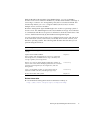
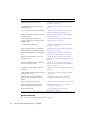
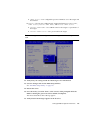
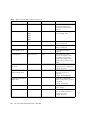
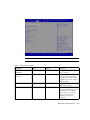
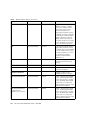
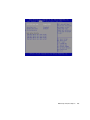
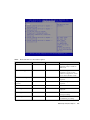
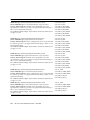
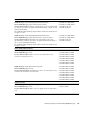
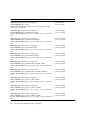
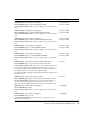
BIOS Advanced Menu Options (Continued)
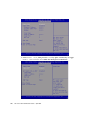
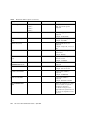
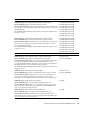
TABLE:
Setup Options
Options
Defaults
Refresh
Active Management Port
Description
Refresh current BMC network
information with the latest
information from the service
processor.
NETMGT
NET0
NET1
NET2
NET3
Change the management port
that is currently active.
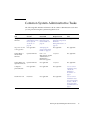
Commit
Commit the current BMC
network information.
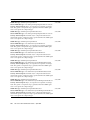
IPv4 Configuration (R/O)
Current configuration of the IPv4
settings is displayed.
Channel Number (R/O)
IPv4 Assignment
Static/Dynamic
1
Current channel number is
displayed.
Static
View whether the service
processor is assigned a static
IPv4 address or assigned a
dynamic IPv4 address using
Dynamic Host Control Protocol
(DHCP).
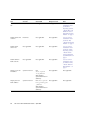
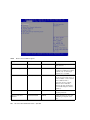
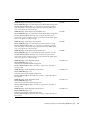
Current IPv4 Address in
BMC (R/O)
Current IPv4 address of the
service processor is displayed.
Example: 192.0.2.86
Current IPv4 MAC
Address in BMC (R/O)
Current IPv4 MAC address for
the service processor is
displayed.
Example: 00:12:46:BE:0A:02
Current IPv4 Subnet Mask
in BMC (R/O)
Current IPv4 subnet mask
address for the service processor
is displayed.
Example: 255.255.255.0
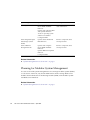
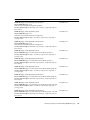
Refresh
Select Refresh to update to the
current settings.
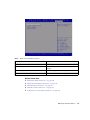
IPv4 Address
If IPv4 Assignment is set to
Static, set the IPv4 address for
the service processor.
Example: 192.0.2.86
154
Sun Server X3-2 Administration Guide • April 2014