1
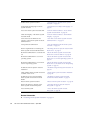
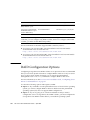
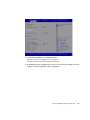
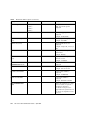
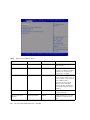
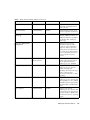
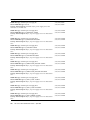
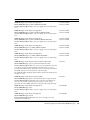
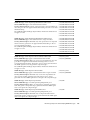
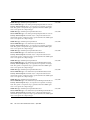
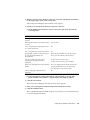
TABLE:
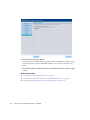
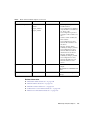
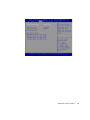
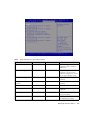
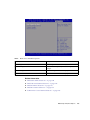
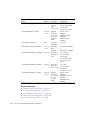
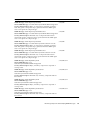
BIOS IO Menu Options (Continued)
Setup Options
Options
Defaults
Description
Enable or disable the add-in
cards.
ADD-IN CARDS
Slot 1
(Nonfunctional in
single-processor systems.)
IO Enable
Disabled/Enabled
Enabled
Enable or disable I/O for the
add-in card.
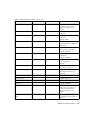
OpROM Enable
Disable/Enable
Enabled
Enable or disable Option ROM.
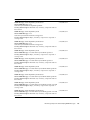
IO Enable
Disabled/Enabled
Enabled
Enable or disable I/O for the
add-in card.
OpROM Enable
Disable/Enable
Enabled
Enable or disable Option ROM.
IO Enable
Disabled/Enabled
Enabled
Enable or disable I/O for the
add-in card.
OpROM Enable
Disable/Enable
Enabled
Enable or disable Option ROM.
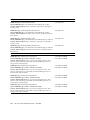
Slot Internal
Disabled/enabled
Enabled
IO Enable
Disabled/Enabled
Enabled
Enable or disable the I/O for the
add-in card.
OpROM Enable
Disable/Enable
Enabled
Enable or disable Option ROM.
Slot 2
Slot 3
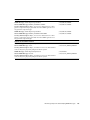
Related Information
■
“BIOS Main Menu Selections” on page 142
■
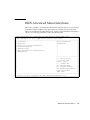
“BIOS Advanced Menu Selections” on page 147
■
“BIOS Boot Menu Selections” on page 162
■
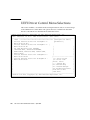
“UEFI Driver Control Menu Selections” on page 166
■
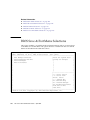
“BIOS Save & Exit Menu Selections” on page 168
BIOS Setup Utility Menu Options
161