1
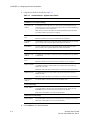
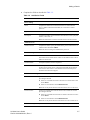
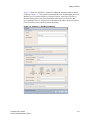
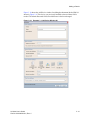
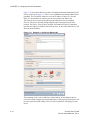
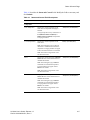
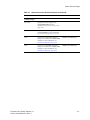
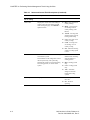
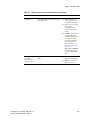
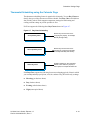
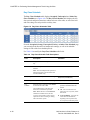
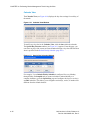
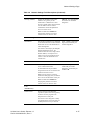
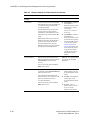
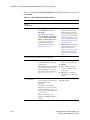
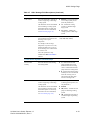
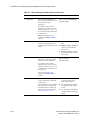
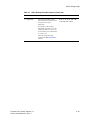
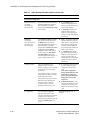
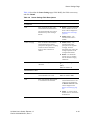
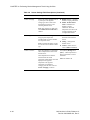
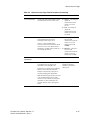
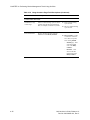
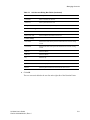
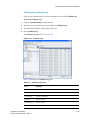
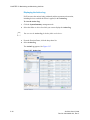
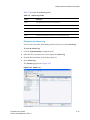
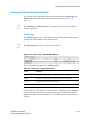
Beta Draft Confidential Table 4-3 Alarms Settings Page Alarm Settings Field Descriptions (Continued) Field Description Parameters Select to remind you that the HVAC system requires maintenance. Disables (default) – Interval reminder disabled. This feature allows you to set time intervals between changing and/or cleaning the HVAC filter. If enabled, an alarm condition is set after the pre-set interval has expired, and is displayed on the Status & Control Page (page 4-4). 10, 30, 60, 90, 120, 240, 365 Runtime Days – The runtime interval after which an alarm will be set to remind the user of the need for HVAC maintenance. Filter Alarms Filter (change) Reminder In addition, this alarm is sent to the Proliphix web site to trigger an E-mail notification if this function is Enabled. Note: This is a minor (yellow) alarm condition. The TMI displays the following additional fields upon different settings and conditions of the Filter Reminder state. Filter Usage Displays a running tally of Runtime Days (x.x) which have elapsed since the previous Filter Last Replaced date. If this value is greater than the preset Runtime Days, it is displayed in red and an alarm is generated indicating that the Filter Reminder interval has expired. Note: This field is displayed only when Filter Reminder in enabled. Filter Last Replaced Click to force the current thermostat date and time into the Date and Time field above and restart the interval set within the Filter Reminder field above. For example, if the filter is changed prior to the Filter Reminder interval expiration, checking this box and clicking Submit restarts the interval timer. Note: This field is displayed only when Filter Reminder in enabled. UniVista User’s Guide, Release 1.0 Part No. 600-09000-001, Rev. 2 4-17