1
 4
Power-On Utilities
There are three power-on utilities to set up and test printer hardware.
These utilities are activated by pressing the FEED key then turning on the printer power key
simultaneously and releasing the FEED key when the desired utility function displays on the LCD
panel to initiate that utility.
Power-On Utilities
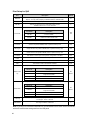
Use the following steps to initiate different power-on utilities:
Turn off the printer power using the power key
Press and hold the FEED key
power key
Release the power key
then while still pressing the FEED key press and hold down the
when the “Error” LED turns red.
Note: At this time continue to press down on the FEED key
After the printer beeps twice, wait until the desired utility displays on the LCD and then release the
FEED key
to initiate that utility. The order that the utilities appear on the LCD are described
below:
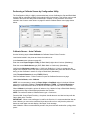
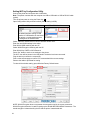
Power On Utilities
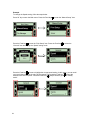
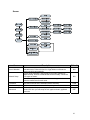
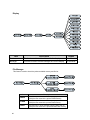
The LCD will change as follows:
Calibrate.....
Self Test.....
Initialize.....
(5 dots)
(5 dots)
(5 dots)
Media sensor
calibration
Media sensor
calibration, self-test
and dump mode
Printer initialization
LCD
Release Feed key
for different functions
21