1
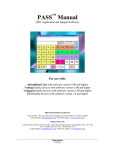
User Areas
Select the keys in the
bottom row to take you to
vocabulary options.
The white keys take you to User Areas that contain
CORE Vocabulary.
CORE vocabulary is vocabulary that you use all the time in
many different situations. It is the vocabulary you will
always want to be able to go to easily.
Once you select a Core overlay you will need to open the
USER AREA MENU in the Toolbox to go to any other User
Areas. This is explained on the next page.
In this manual we will use the 45 SEQUENCED overlay for
our examples, but you should experiment with all the
overlays to find the best one for you or your client.
Select the 45 SEQUENCED key.
(If you are not in the Exploration Wizard or you don’t know
which overlay you are in, follow the steps on the next page
to change User Areas.)
18
Vantage Lite Easy Start