1
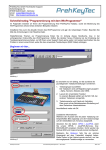
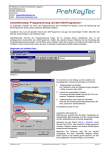
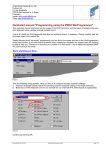
Programming Standard Keys using Drag&Drop Drag&Drop is the easiest way to program so-called standard keys like "Shift", "Control" and all the other alphanumeric keys. Simply copy such keys from a Default Layout template into your keyboard. This includes key code programming and also the key label. To quickly assign standard keys to your PrehKeyTec devices in an easy and safe way: 1. To show the template just enable View Default layout. 2. This way you also can close the template keytable. The WinProgrammer automatically opens the template using the same language as selected for the currently activated keytable. Figure 3 1. Select the source key on the Default layout by a mouse click. 2. Hold down the left mouse button and move the key to the target position into your own layout. 3. Finally adjust the key size using the right and lower key frame, if necessary. Notes: Drag&Drop is indicated by a mouse cursor with a small rectangle. When holding down the Ctrl-Key during moving the key, you will execute copying instead of moving. The mouse cursor then contains an additional + symbol. The procedure described above always copies/moves the entire functionality of the key including the key assignment of all layers and the key label. In our example we use this method to copy Left Ctrl key Left Shift key Figure 4 For further information on standard keys and the StdKey Layer please also refer to Important annotations - The StdKey layer functionality on page 6 PrehKeyTec GmbH Quickstart WinProgrammer - Feb 06 2015 Page 2/22