1
Step 9 : Initial setup
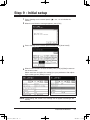
1 Press <Setting> on the control panel, < >, <0>, <2> to initialize the
memory.
2 When the confirmation message appears, press [Yes].
3 Press <Setting> on the control panel and then press [User Install].
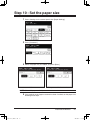
4 When the first screen has been entered, press [Prev] or [Next] to move to
the second screen.
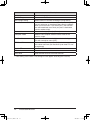
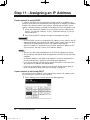
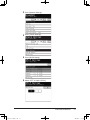
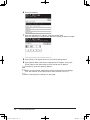
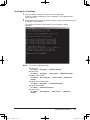
Select each item and adjust the setting(s) to your preference. After adjusting the setting, press [Enter] to save it.
NOTE:“Time setting” and “Comm. Line” settings are not appear according to the
country.
Installation Manual
Installation_Manual.indd
13
13
2007/04/27
12:11:39