1
Special Notice
y the helicopter without completely reading the manual
may cause injury to yourself and people in the vicinity, as well as damage to
the helicopter.
The Smart iCopter is not a toy! If misused, it can cause serious bodily harm and
damage to property. Fly only in open areas indoors following all instructions.
Keep items that can get entangled in the rotor blades away from the main and
tail blades, including loose clothing, pencils and screwdrivers. Especially keep
your hands away from the rotor blades.
at hard surface for optimum sensor detection.
y on
Introduction
Additional Safety Precautions and Warnings
This model is controlled by a Bluetooth signal that is subject to interference
from many sources outside your control. This interference can cause
momentary loss of control so it is advisable to always keep a safe distance in
all directions around your model, as this margin will help to avoid collisions or
injury.
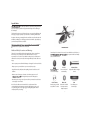
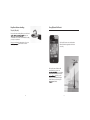
Smart iCopter™ is a Smart iOS Accessory for use with iPod touch®, iPhone® or
ying experience with user-friendly
controls and much more.
• Never operate your model with low battery or damaged / broken rotor blades.
• Always operate your model in an open area away from people.
• Keep all chemicals, small parts and anything electrical out of the reach of
children.
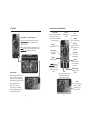
and
hover automatically.
E-Land
One touch to land
automatically.
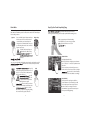
Altitude Slider
Adjustable slider for height
control.
• Moisture causes damage to electronics . Avoid water exposure to all
cally designed and protected for this purpose.
• Never lick or place any portion of your model in your mouth as it could cause
serious injury or even death.
Note: These checklists are not intended to be a replacement for the
content included in this instruction manual . Although they can be used
as a quick start guide, we strongly suggest reading through this manual
completely before proceeding .
2
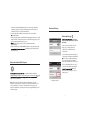
Accelerometer
Control using your iPod
touch, iPhone or iPad.
Bluetooth®
Bluetooth® enabled
helicopter with no
adapter required.
3
Trim
Re-calibrate your
Smart iCopter.