1
Battery Charging and Care
Overview
ying the
traditional RC Control Copter but gave up?
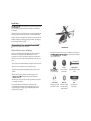
The Smart iCopter features unique Easy-Fly and gyroscope technology for the
ight experience ever. Authentic, detailed styling adds
ying like a Pro.
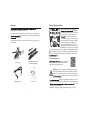
The following accessories come together in the box when you purchase your
Smart iCopter:
Please ensure that you have adequately
ying by using
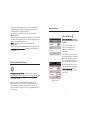
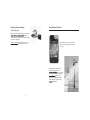
the USB Cable included in your Smart iCopter
box. First, make sure the Smart iCopter is
. The ON/OFF switch is located
next to the Charging Socket on the bottom of
the Smart iCopter. Then, plug the USB Cable
into the Charging Socket. Plug the other
end of the USB Cable into your Mac, PC or a
5V charger to charge. If done properly, a red
light will appear on the front of your chopper.
This same light will turn blue once the chopper is fully charged and ready for
ight. At that point, disconnect the USB Cable from the chopper and from
your computer. PLEASE NOTE: Requires approximately 60 minutes charge
ight.
Long Lasting Satisfaction
2x Extra Main Rotor Blades
1x Extra Tail Rotor Blade
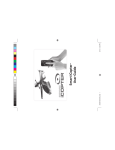
Smart iCopter
ight time consideration,
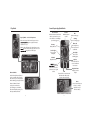
the Smart iCopter comes with a built-in Lithium
Polymer (LiPo) Rechargeable Battery.
Warning: Lithium Ion or Lithium Polymer Rechargeable Battery
Inside (No Lithium Metal). Risk of explosion if battery is replaced
with an incorrect type. Don’t open or puncture the batterry, short
re, high temperatures, or water. Keep battery
out of reach of children.
User Manual
USB Charging Cable
4
cantly more volatile than the Alkaline, Ni-Cd or NiMH batteries used in RC applications. All instructions and warnings must be
re, personal
injury, and/or property damage.
• By handling, charging or using the included Li-Po battery you assume
5