1
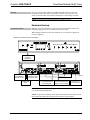
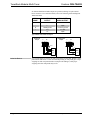
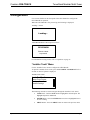
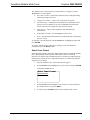
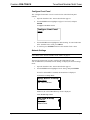
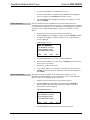
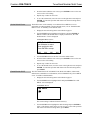
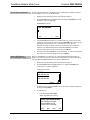
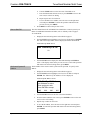
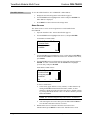
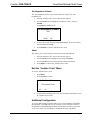
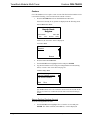
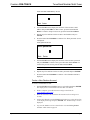
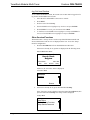
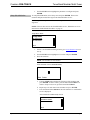
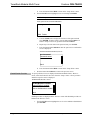
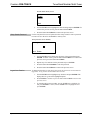
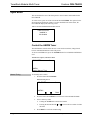
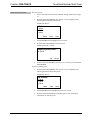
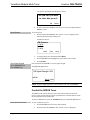
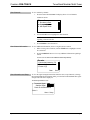
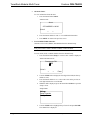
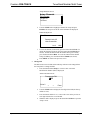
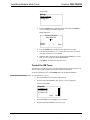
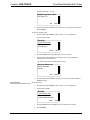
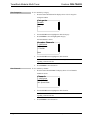
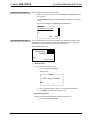
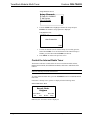
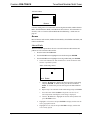
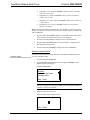
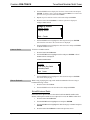
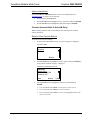
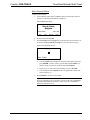
TunerRack Modular Multi-Tuner Crestron CEN-TRACK The “Installer Tools” menu presents several parameters to configure. Turn the TUNE knob to view the options. Select Tuner Format – Specifies the North American or European tuning format when using a tuner card. Configure Front Panel – Used to lock or unlock the front panel. Network Settings – Configures the CEN-TRACK to communicate with a control system over Ethernet. If an ATC-AUDIONET is installed, this section is also used to configure the card’s network settings. Name Sources – Allows custom naming of cards installed in the CEN-TRACK. Set Headphone Volume – Sets the headphone volume level. About – Provides information about the CEN-TRACK such as IP data and firmware version. To configure a specific parameter, turn the TUNE knob to highlight an option and press ENTER. To exit the “Installer Tools” menu and save changes to the CEN-TRACK’s configuration, press the MENU button. Select Tuner Format Select the tuning format to specify the tuning method used by an installed AM/FM tuner. When using the North American tuner format, the device tunes FM frequencies in 100 kHz steps and AM frequencies in 10 kHz steps. When using the European tuner format, the device tunes FM frequencies in 50 kHz steps and AM frequencies in 9 kHz steps. 1. Open the “Installer Tools” menu as described on page 19. 2. Turn the TUNE knob to highlight Select Tuner Format, and press ENTER. “Select Tuner Format” Screen Select Tuner Format North American European 3. Turn the TUNE knob to highlight a tuner format. To cancel and return to the “Installer Tools” menu, press MENU. 4. To confirm, press ENTER and return to the “Installer Tools” menu. 20 TunerRack Modular Multi-Tuner: CEN-TRACK Operations Guide – DOC. 6646C