1
Testing the
Modem Driver
In Windows 98SE
1.
2.
3.
4.
5.
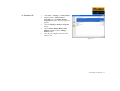
Click Start -> Settings -> Control Panel.
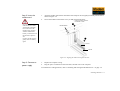
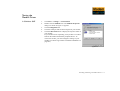
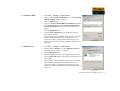
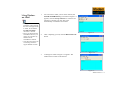
Double-click the Modems icon. The Modems Properties
dialog box similar to Figure 3-1 appears.
Click the Diagnostics tab.
Click the COM port that has been assigned to your modem.
Click the More Info button to display the response status of
your modem.
If your modem is not responding, it may be due to a conflict
between the modem and another peripheral device. To
resolve the conflict, you must change the settings on your
modem (see “Resolving Conflicts in Windows 98SE/Me” on
page B-3).
Figure 3-1
Installing and Testing the Modem Drivers 3-3