1
LAN User Manual
Code Updating
The code of the printer can be downloaded through the LAN by using:
• FTP protocol.
• Compuprint NetViewMaster application (see notes).
• Standard Centronics or USB Interface on the base printer (see notes).
Printer Status and error reporting
The printer states reported by the LAN are:
• READY
• NOT READY
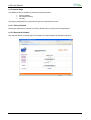
States are notified updating the Web Page.
Printer error conditions traced by the LAN are:
• PAPER OUT
• PAPER JAM
• COVER OPEN
• MACHINE CHECK (Carriage fault, ribbon blocked,…)
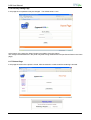
Errors are send either through e-mail to the printer administrator or updating the Web Page.
In addition the Compuprint NetViewMaster application is capable to display both printer status
and error conditions. Moreover with this tool OP Panel keys and messages can be remotely
handled.
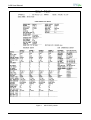
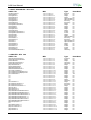
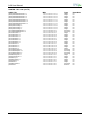
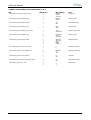
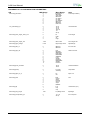
Table 1 LAN Specifications
Notes:
The Compuprint NetViewMaster application will allow the downloading of custom configuration and firmware
to a selected single printer or automatically to a selectable group of printers found on the network. Refer to
specific NetViewMaster User Manual for further details.
Downloading through the Centronics port can be done copying a binary code file with ‘DOS copy lpt1’
command. This procedure supports Windows systems running 3.1, 95, 98, ME, 2000, XP, Vista, NT,
Windows7 (32 and 64 bits).
Downloading through the USB port can be done copying a binary code file with ‘copycom.exe comx
filename.img’ program. This procedure supports Windows systems running 2000, XP, Vista, NT, Windows7
(32 and 64 bits).
MAN10244-01
3