1
CONFIGURATION SETTING
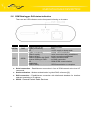
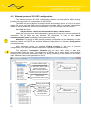
Button description
Button
Description
Start
Start firmware upload, version of firmware is compared.
In case, when station firmware is newest or same as file
in PC, dialogue give you chance to stop upload or
continue next
Start from origin
Complete overwrite firmware in station
Setting
Setting of firmware upload
Quit
Close dialogue
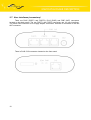
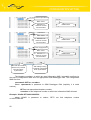
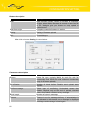
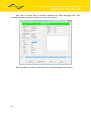
After click on button Setting is next window:
Parameters description
Parameter
Description
Source
Select file type, typically MAIN for main file with full
functionality and LOAD file with minimum functionality
(only for firmware upload)
Nr. of blocks
Number of block before Radwin send upload state
request
Confirm message
Select type of confirming. Unchecked means that
Radwin checked only at the end of upload, checked
means that Radwin checked every message
Block length
Number of bytes in message
Timeout
Timeout in ms for message delivery. If acknowledge is
not delivered in this timeout, error message is displayed
in dialogue and message is send again
62