1
SatService
Gesellschaft für Kommunikationssysteme mbH
Introduction
The VLC installation manual describes the steps of the basic configuration for a new VLC which shall be prepared for it's first use.
These steps apply to VLCs which are going to be upgraded or re-used as well.
The chapter 'Before you start' gives some advice which information to collect before you start to configure a VLC.
The chapter 'VLC basic configuration' describes the steps to prepare a VLC coming 'out of the box' for it's on-site usage. This
covers the VLC network setup including topics like the VLC - NMS communication management and IP addresses as well as a
detailed guide how to extend a VLC with additional serial interfaces.
This manual coverts also the new version of the VLC which SatService delivers since March 2003 with serial numbers greater or
equal 1020. Changes in the documentation for the new VLC's are marked with the
label.
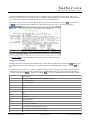
The Chapter 'setup program' describes the new setup program for the VLC configuration.
Chapter 'Configuring the VLC for the equipment setup' adds a short discription how to tell the VLC which type of equipment shall
be controlled at which interface port without using the NMS.
Finally, the 'Appendix' provides some reference information, amongst other things a complete list of device drivers comping with
the VLC.
Before you start
To configure a VLC, there are some information about this VLC you need to collect. First of all you have to assign an ID to the
VLC. Each VLC managed by the NMS has it's unique ID. VLC IDs are number s in the range 1 ... 1600. The NMS names the
VLCs 'VLC0001' ... 'VLC1600' according to these numbers. There is no need to number the VLSs in a close sequence.
However, IP routing might be simpler to configure if you limit the VLC IDs to 16 or 32 for a small network.
The next important question to check is how many serial interfaces does the VLC need to control the devices attached to it. You
probably will have clarified this before you purchased the VLC. But if you are going to upgrade or reconfigure a VLC which was
already in use, you have to figure out now which serial interface boards have to be built into the VLC. Chapter 'Adding serial
interfaces' gives you an overview, which kinds of serial boards the VLC may be configured for.
As a last point, you have to decide in which way the VLC shall communicate with the NMS. Does the VLC use a dial-up link via
modem or ISDN terminal adapter? Or does the VLC connect directly via Ethernet to the NMS? Are there special requirements
regarding the IP routing to the VLC? Chapter 'Network configuration' demonstrates the some configuration variants.
VLC basic configuration
To prepare a VLC before it is used the first time (or if it shall be re-configured), the following parameters must be set at the VLC:
You can use the setup program for new VLC's to configure these settings.
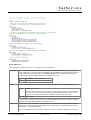
VLC number/ID: Within the NMS, each VLC must have a unique ID assigned to it. The NMS software accesses the VLC
through this identifier. The VLC ID is a number in the range 1 .. 1600. The factory default for the VLC ID is 1.
Parameter:
VLC_ID=[1..1600]
SATNMS_HOSTNAME="vlc[0001..1600]"
Working mode Set this option to 'vlc'.
Parameter:
SATNMS_TYPE=vlc
(C) 2013, SatService GmbH
www.satnms.com
VLC-IM-1307 Page 3/30