1
Chapter 8
Advanced Configuration for Compex CGX3224
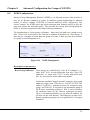
In order to control all the slave switches, you need to enable the stacking
function for all switches. You may follow the procedures as shown below:
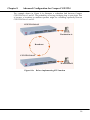
1. Connect a RJ45 MDI straight Ethernet cable from the Control Station to
CGX3224 Unit #1. Enter http://192.168.100.128 in the internet browser to
enable the stacking function. You may name your switch for
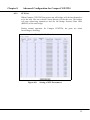
identification. Refer to Section 9.2 “System Configuration” for details.
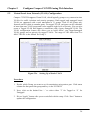
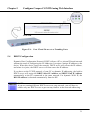
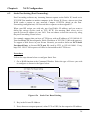
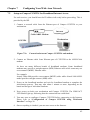
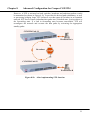
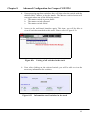
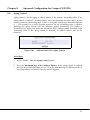
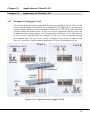
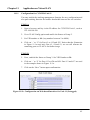
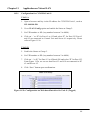
2. Next, disconnect one end of the Ethernet cable from CGX3224 Unit #1
and establish a link to Unit #2. Please refer to Figure 8.3d. Enter
http://192.168.100.128 in the internet browser to enable the stacking
function and give a name to your switch.
NOTE
You may also use the console port to activate the stacking function of all
switches.
We are using 3 switches in this example, therefore, please repeat the
procedures of Steps 1 and 2 for CGX3224 Unit #3.
CGX3224 Unit #1
Control Station
CGX3224 Unit #2
Figure 8.3d
Establish a connection to CGX3224 Unit #2
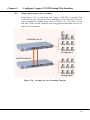
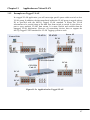
3. After enabling the stacking function for all switches, use RJ45 MDI
straight Ethernet cables to connect all three switches as shown in Figure
8.3c.
60