1
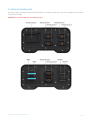
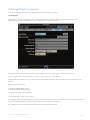
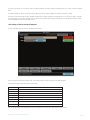
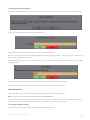
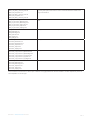
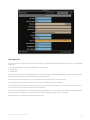
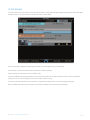
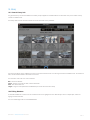
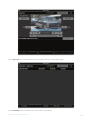
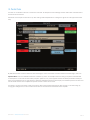
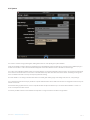
For each Task you can specify a more descriptive name, e.g. ‘Clone from Capture Drive to Internal’. By default each Task is simply called by its
type, e.g. ‘Clone’, ‘Archive’, etc. If there is more than one of the same task type they must be given unique names.
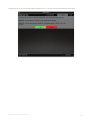
Any Task can be removed from the Template using the Delete button, and the order of the Tasks in the Template can be changed using
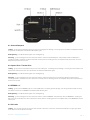
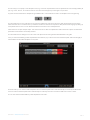
For most Tasks there is a ‘From:’ field for which you select the media that is used as the input for the Task (where the data is coming from).
Some Tasks also have a ‘To:’ field for which you select the media that is used as the output for the Task (where the data is going to). Setting up
the expressions for the ‘From:’ and ‘To:’ fields is described in the section ‘From and To Expressions’.
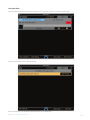
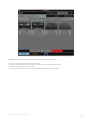
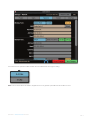
Some Tasks have an option to ‘Eject Output’. This means that when the Task has completed the media used as the output for the Task will be
ejected from the Vault and it can be safely removed.
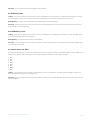
For most Tasks there are ‘Settings’ that can be chosen. Full options for each task type will be described later in this guide.
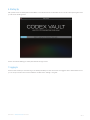
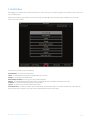
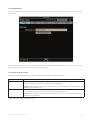
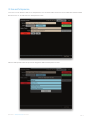
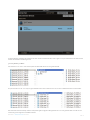
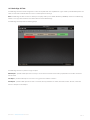
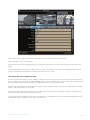
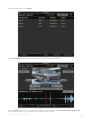
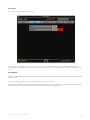
Once you have finished defining a Work Template select Save & Finish. (If you don’t want to save the Work Template, select Quit & Forget.) It
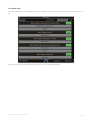
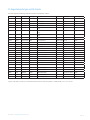
will be added to the list of Work Templates on the system:
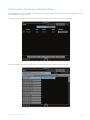
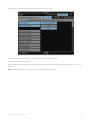
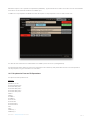
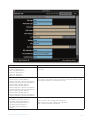
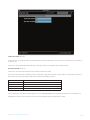
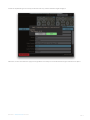
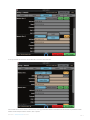
From this screen you can select if a Work Template is Active. If a Work Template is set to start Automatically then it will only be able to start
when it is Active. If a Work Template is set to start Manually then it will only be shown on the Manual Jobs screen when it is Active.
You can also choose to Edit or Delete any Work Template from this screen.
CODEX VAULT 2 - ADMINISTRATOR GUIDE REV 06.08.13
PAGE 21