1
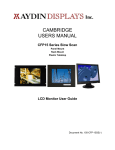
CAMBRIDGE
USERS MANUAL
CFP19 Series Slow Scan
Chassis
Rack Mount
VESA Wall Mount
Plastic Tabletop
LCD Monitor User Guide
Document No. 150-CFP-19SS(-)
SERIES PRODUCTS
CFP19C1-230-00A,B,C,D
CFP19R2-230-00A,B,C,D
CFP19W1-230-00A,B,C,D
CFP19T2-230-00A,B,C,D
SLOW SCAN SERIES INDUSTRIAL TFT LCD DISPLAY USER'S MANUAL
1
FCC AND CE RADIATION STATEMENT.................................................................................................... 3
FCC ...........................................................................................................................................................................3
CE..............................................................................................................................................................................3
FCC AND CE COMPLIANCE STATEMENT ...................................................................................................................3
CAUTION!................................................................................................................................................................3
PRECAUTIONS........................................................................................................................................................3
INTRODUCTION........................................................................................................................................... 4
PRODUCT DESCRIPTION:.............................................................................................................................................4
PACKAGE CONTENTS:.................................................................................................................................................4
MENU CONTROL BUTTONS:........................................................................................................................................4
MENU OPERATING INSTRUCTIONS: ............................................................................................................................5
DIRECT ACCESS FEATURES: .......................................................................................................................................6
ON SCREEN DISPLAY (OSD) OPERATION ........................................................................................................6
DISPLAY MODES: ..................................................................................................................................................6
SPECIFICATION - CFP19 SERIES 19-INCH LCD.....................................................................................................7
CLEANING INSTRUCTIONS .................................................................................................................................8
TROUBLESHOOTING ............................................................................................................................................8
150-CFP-19SS(-)
Page 2
FCC and CE Radiation Statement
FCC
This equipment has been tested and found to comply with limits for Class B digital device pursuant to Part
15 Federal Communications Commission (FCC) rules.
CE
This equipment has been tested and found to comply with the limits of the European Council Directive on
the approximation of the law of the member states relating to electromagnetic compatibility (89/336/EEC)
according to EN 55022 Class B.
FCC and CE Compliance Statement
These limits are designed to provide reasonable protection against frequency interference in residential
installation. This equipment generates, uses and can radiate radio frequency energy, and if not installed
or used in accordance with the instructions, may cause harmful interference to radio communication.
However, there is no guarantee that interference will not occur in television reception, which can be
determined by turning the equipment off and on. The user is encouraged to try and correct the
interference by one or more of the following measures:
•
Reorient or relocate the receiving antenna
•
Increase the separation between the equipment and the receiver
•
Connect the equipment into and outlet on a circuit different from that to which the receiver
is connected to.
CAUTION!
The Federal Communications Commission warns the user that changes or modifications to the unit not
expressly approved by the party responsible for compliance could void the user’s authority to operate the
equipment.
PRECAUTIONS
Read all of these instructions and save this manual for later use. Follow all warnings and
instructions on the product.
1. Do not cover or block the ventilation holes in the enclosure.
2. Do not insert sharp objects or spill liquid into the monitor through the cabinet slots. This may cause
accidental fire, electric shock or failure.
3. Unplug the unit when not in use for an extended period of time.
4. Do not attempt to service this product yourself, since opening or removing the cover may expose you
to potential electric shock. Only a qualified technician should service this product.
5. Do not touch the screen directly with your fingers as it may damage the screen; the oil from your skin
is difficult to remove.
6. Do not apply pressure to the screen, the LCD is very delicate.
7. Keep the monitor away from extreme heat, cold, or humid places.
8. Do not place directly under sunlight, dusty surroundings or near equipment, which may generate
strong magnetic fields.
150-CFP-19SS(-)
Page 3
INTRODUCTION
Thank you for choosing this high-quality Flat Panel TFT-LCD Color Monitor. It combines the features of a
MONITOR with a THIN FILM TRANSISTOR Liquid crystal display (TFT-LCD). This new generation of
TFT-LCD incorporates a high quality display in a lightweight module.
Product Description:
This industrial series LCD Displays is rugged, high performance, Active Matrix color/monochrome TFT
LCD monitors designed for those demanding applications that required a rugged, high quality computer
display capable of sub-VGA through SXGA resolutions. These premium displays accept broad range of
standard of signal formats, enabling it to function in most modern industrial environments. For legacy or
replacement applications, this LCD display can be configured to accept a wide variety of sub-VGA
formats and video signal inputs. Other options include; touch screen, enhanced sunlight readability,
Open Frame configurations, Rack mount configurations, Wall/Arm mount configurations, NEMA 4X
stainless steel panel mount bezel and front touch controls, vandal shields. These computer display
panels have all the features necessary for use in those industrial, manufacturing, financial, transportation
and other severe environments that require bright, crisp computer imaging.
Unlike CRT displays, the LCD panel has a fixed pixel format over a set area. So, for best performance
the “native resolution” setting is always recommended.
•
For 19” monitors: The native resolution of the LCD panel is 1280 X 1024; Recommended resolution
is 1280 X 1024 @ 60KHZ or 1024 X 768 @ 60hz.
Package Contents:
Please check the TFT-LCD Monitor Package to make sure it contains the following items:
•
LCD Monitor
•
Power Cord
•
DC Adapter
•
VGA Cable
•
Audio Cable (Optional)
•
Users Manual
Menu Control Buttons:
•
POWER:
Power on/off control
•
AUTO:
Automatically adjusts for an optimal image. (Standard : For PC Only Model)
Changes Input Signal. (Option : For PC+AV Model)
•
MENU:
Selects command function
•
(-)
Decreases value.
When OSD not on the screen, push “-” for volume adjust.
•
+/MUTE:
Increase value.
When OSD not on the screen, push “+/MUTE” to enable/disable volume
MUTE function.
•
LED:
Power ON: Green Light
Power Saving or No Signal: Orange Light
150-CFP-19SS(-)
Page 4
Menu Operating Instructions:
Your LCD monitor allows you to easily adjust the characteristics of the image being displayed. All of
these adjustments are made using the control buttons on the front of the monitor. While you use these
buttons to adjust the controls, the OSD (On Screen Display) shows you their numeric values as they
change.
AUTO
MENU
—
+/MUTE
POWER
AUTO
MENU
POWER
—
+/MUTE
OR :
AUTO
MENU
POWER
(-)
+/MUTE
150-CFP-19SS(-)
1.
Auto-adjusts the display for optimal image quality
2.
Changes Input Signal (when PC/AV Option).
1.
Opens On Screen Display (OSD) mode.
2.
Selects the highlighted function.
1.
Turns the monitor ON/OFF.
2.
Indicated power status of the monitor:
•
Green: Normal Operation.
•
Orange: Power Saving mode or no signal input.
•
Black (No light): Power OFF.
1.
Decreases the values of the selected function.
2.
Moves the selector light-bar down.
3.
When OSD not onscreen, push “-“ for volume adjust.
1.
Increases the values of the selected function.
4.
Moves the selector light-bar up.
2.
When OSD not onscreen, push “+/MUTE“ to enable/disable volume
mute.
Page 5
Direct Access Features:
1. Push “Auto” to set display to the optimal image.
2. With the OSD off, push the “MENU” button to display the main OSD menu.
3. Use “+/-“ buttons to select the function, and press the “MENU” button once to activate the selected
function.
4. After selecting a function, use the “+/-“ buttons to make necessary adjustments. The setting bar
moves and the numeric value indicator changes to reflect your adjustments.
5. Select the “EXIT” icon to return to the main menu to select another function or to exit from the OSD.
The new Settings will be automatically saved.
6. When OSD not on the screen:
•
Push “-“ to enable volume adjust function.
•
Push “+/MUTE” to enable/disable volume MUTE function.
7. *For PC+AV Model: push “AUTO” to change input signal (PC / CVBS / S-Video).
ON SCREEN DISPLAY (OSD) OPERATION
FUNCTION
DESCRIPTION
AUTO-SETUP
Automatically adjusts for optimum image.
BRIGHTNESS
Adjusts the brightness of the image.
CONTRAST
DISPLAY ADJUST
COLOR
TEMPERATURE
LANGUAGE
OSD DISPLAY
VGA / DVI
AUDIO
RECALL
EXIT
Adjusts the contrast of the image.
Adjusts the horizontal, vertical, frequency and phase.
Adjusts the 9300K, 7500K, 6500K, and RGB individual color
temperature.
Selects OSD language
Adjusts OSD Display position
Selects analog or digital input
(Only works on DVI model with DVI Video Card.)
Adjusts Speaker Volume.
Resets all functions to factory settings.
Automatically Adjusts for optimum image,
•
Normally, for VGA analog signal input, after “AUTO SETUP” will achieve the optimal image
performance. It is generally not necessary to manual adjust.
•
With DVI digital signal input, the “AUTO SETUP” and “DISPLAY ADJUST” function is not necessary.
The image performance will depend on your graphic card.
DISPLAY MODES:
1.
Set the resolution: Right click on the Windows desktop—choose Properties—choose Settings—set
the resolution.
2.
Set the refresh rate: See your graphic card’s user guide for instructions.
150-CFP-19SS(-)
Page 6
SPECIFICATION - CFP19 Series 19-inch LCD
Size/Technology
Viewing Area
Pixel Pitch
Native Resolution
Back Light
Viewing Angle (h/v)
Contrast Ratio
Brightness (typ)
Response Time (typ)
Colors
Supported Video Formats - Standard
Input Signals
Input Interface
19” TFT Active Matrix LCD
376.3 mm x 301.1 mm
0.294 mm x 0.294 mm
1280 x 1024 Pixels
50,000 Hours Typical
140°/130°
600:1 Typical
250 cd/m2
12 mSec Typical
16.2 Million – (6 Bits + FRC)
640 x 400 @ 85Hz
640 x 480 @ 60/72/75/85Hz
720 x 400 @ 70/85Hz
800 x 600 @ 56/60/72/75/85Hz
1024 x 768 @ 60/70/75/85Hz - Native Resolution
Optional - EGA; CGA; MDA; TTL Video Timings (1); (*2)
Optional - Legacy Products Timings - Horizontal: 15 to 68KHz; Vertical 50 to 85Hz (*1)
Standard - Analog Video: 0.7Vpp @ 75 Ohms
Standard Sync: Separate or Composite TTL Level Sync
Optional - Sync on Green Video (Positive) 0.7Vpp-Sync (negative) 0.3Vpp (*1)
Optional - TTL Video Input for EGA, CGA and MDA (*2)
Optional - RCA (NTSC/PAL) and 5 Pin Mini-DIN (S-video)
HD15 (VGA Analog) - DVI-D
External Connectors
Analog HD15 D-Sub Input; Digital DVI Input:: DC Input.
Power Requirements
100-240VAC 50-60Hz or +12VDC @ 4A
Approvals
Temperature: Operating
Temperature: Storage
Altitude: Operating
Altitude:
Storage
Mechanical Configurations
Dimensions
Weight
FCC, CE, UL
0° to 50°C @ 10-90% R.H.
-20° to 60°C @ 10-90% R.H
0 to 10,000 ft
0 to 40,000 ft
Tabletop or Desktop enclosure with Tilt & Swivel;
Open Frame;
NEMA 4/12 Panel Mount :
[Recommended Cutout: 12.2” (H) x 15.06” (W)]
Rackmount; EIA RS310 D – 7 Unit
Wall/Arm Mount
Tabletop - 16” (H) x 17” (W) x 2.5” (D) or 6” (D) with Tilt & Swivel;
Panelmount Rackmount - 15.72” (H) x 19.0” (W) x 3.5” (D)
Wall/Arm Mount - 14.11” (H) x 17.03” (W) x 3.84” (D)
20 Lb.
Warranty
One Year Limited Warranty
Options
Universal Video Input Option (*1)
Touch Screen: Resistive, Capacitive and SAW;
Screen Protection from Impact - Strengthened Glass;
Sunlight Readable;
Optional RCA (NTSC/PAL) and 5 Pin Mini Din (S-video);
TTL Video Input for EGA, CGA and MDA (*1); (*2);
Universal Video Input - 3/4/5 BNC Input (RGB) (*1)
Page/Portrait format
Note (1) – With Universal Video Input Option.
Note (2) – With TTL Video Input Option.
150-CFP-19SS(-)
Page 7
CLEANING INSTRUCTIONS
1.
Gently wipe the screen with a clean, soft, lens brush or a soft clean, lint-free cloth. This
removes dust and other particles that can scratch the screen.
2.
Do not apply pressure to the screen surface when wiping it clean.
3.
Do not pour or spray any liquid directly onto the screen or case of the LCD monitor. Chemical
cleaners may damage the screen or the LCD monitor.
TROUBLESHOOTING
•
LCD Pixel Statement - The LCD unit is produced with high-precision manufacturing techniques.
Nevertheless, some pixels may occasionally misfire or appear as black or colored dots. This has no
effect on the recorded image and does not constitute a malfunction.
•
There is no picture on the screen.
Please check the color of the LED indicator on the LCD monitor.
1.
“GREEN”: During normal operation the LED light will be green. If it is green and there is no
picture contact the customer service line.
2.
“ORANGE”: please check the connection of the VGA cable to the monitor and the connection to
the computer.
3.
“NO POWER”: Make sure the power cord is securely connected to the adapter and the light on
the Adapter is green.
•
Missing Colors
•
If any of the red, green, or blue colors are missing, check the signal cable to make sure it is tightened
correctly. The pins in the cable could be loose and cause a bad connection.
•
No image
1. Make sure power button is ON.
2. Check whether the LCD monitor and computer power cords are connected and whether there is a
supply of power.
•
No Signal Input
Check the signal connection between the computer and LCD monitor.
•
Image too bright/Image too dark
Adjust brightness and contrast by OSD.
•
Irregular image
1. Check the signal connection between the computer and LCD monitor.
2. Perform Auto Adjust.
•
Distorted image
•
Reset the LCD monitor. (Perform the “Recall” function by OSD)
•
Image is not centered / Size is not appropriate
1. Use OSD Image Menu to adjust H. Position and V. Position
2. Check image size setting.
3. Perform Auto Adjust.
•
Uneven color / Color too dark / Dark area distorted / White color is not white
Use OSD Color Temperature Menu to adjust color setting.
•
No sound
1. Check the audio signal cable connection between the computer and LCD monitor.
2. Try pressing the “+MUTE” button to disable the volume Mute function.
150-CFP-19SS(-)
Page 8