1
User’s Manual
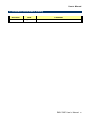
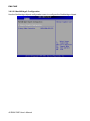
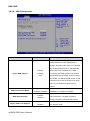
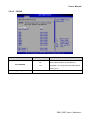
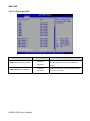
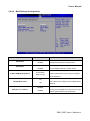
3.6.4.4 Boot Settings Configuration
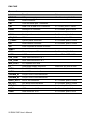
Item
Quick Boot
Quiet Boot
AddOn ROM Display Mode
Bootup Num-Lock
Wait For “F1” If Error
Options
Description
Disabled,
Use the quick boot BIOS option to make the
Enabled
computer speed up the boot process.
Disabled,
Use the quiet boot BIOS option to select the
Enabled
screen display when the system boots.
Force BIOS,
Keep Current
On,
Off
Disabled,
Enabled
The AddOn ROM Display Mode option allows
add-on ROM (read-only memory) messages
to be displayed.
The Bootup Num-Lock BIOS option allows
the number Lock setting to be modified during
boot up.
When set to enable, the system waits for the
F1 key to be pressed when error occurs. This
allows option ROM to trap interrupt19.
EMX-780E User’s Manual 51