1
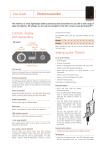
HX2040 Hand-Held Transmitter
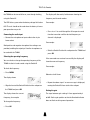
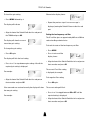
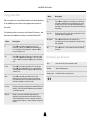
The display will indicate:
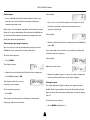
Setting the low frequency cut filter
AF LEVEL
TxRx
AF
The LF cut filter gives an approximately 10dB cut at 50Hz to
reduce handling and wind noise.
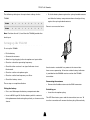
• Align the front of the SwitchiR with the infra-red port of
the HX2040 and press OK.
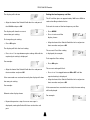
To check the status of the low frequency cut filter:
AF LEVEL
The display will show the current
transmitter gain setting:
Tx
• Press MENU
0
• Press a twice until the
display shows:
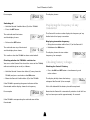
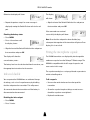
To change the gain setting:
LF Cut
Tx
• Align the front of the SwitchiR with the infra-red port on
• Press OK again.
the transmitter and press OK.
The display will flash the level setting.
The current LF cut filter setting
• Press a or v to step between gain settings 0-9 until the
is displayed; for example:
required gain setting is displayed.
Tx
OFF
To change the filter setting:
For example:
���������
• Press OK again.
����
��
The current setting will flash.
• Align the front of the SwitchiR with the infra-red port on
the transmitter and press OK.
• Press a or v to toggle between ON or OFF until the
required setting is displayed.
If the command was received correctly the display will show
• Align the front of the SwitchiR with the infra-red port on
the new gain setting.
the transmitter and press OK.
For example:
���������
If the command was received successfully the new setting
����
��
Otherwise the display shows:
will be displayed.
For example:
Error
Tx
• Repeat the previous steps if an error message is
displayed, moving the SwitchiR closer to the infra-red
port.
16
88
On