1
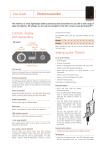
TX2040 Pocket Transmitter
the TX2040 can be turned off or on, even through clothing,
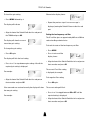
The display will alternately flash between showing the
using the Control-X.
frequency and channel number.
The LED flashes green when the battery voltage falls below
For example:
CHANNEL
01
6.5V. The unit should not be used when the battery is low as
poor operation may result.
• Press a or v to scroll through the 32 frequencies read
Connecting the audio input
from the transmitter until the desired frequency or
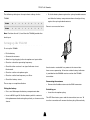
• Connect the microphone or input cable to the six-pin
channel is displayed.
Lemo socket.
For example:
CHANNEL
32
Both positive and negative microphone bias voltages are
provided, enabling the majority of Lavalier microphones to
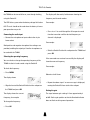
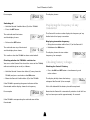
• Point the SwitchiR at the infra-red port on the TX2040 and
be used with the TX2040.
press OK.
Selecting the operating frequency
If the command was received successfully the display will
You can check or change the operating frequency of the
show the new set frequency.
TX2040 via the infra-red control using the SwitchiR.
For example:
To check the frequency:
FREQUENCY
Tx
• Press MENU.
The display shows:
Otherwise it will show:
FREQUENCY
Fr
MHz
Error
moving the SwitchiR closer to the infra-red port.
the TX2040 and press OK.
frequency; for example:
MHz
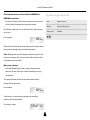
• Repeat the above steps if an error message is displayed,
• Align the front of the SwitchiR with the infra-red port on
The display shows the current
857.950
Setting the gain
The steps between gain settings 2-9 are approximately 3
FREQUENCY
Tx
854.900
to 4dB. Set the gain position so that the Overload indicator
MHz
does not flash on during normal operation.
To change the frequency:
• Press OK.
4
88