1
CHAPTER
2
TX2040 Pocket Transmitter
The TX2040 is a small, lightweight battery-powered pocket transmitter for use with a wide range of lapel
microphones. All settings can be read and changed via the infra-red port using the SwitchiR™.
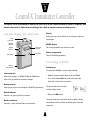
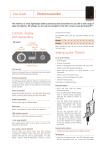
Controls,
display and connections
. . . . . . . . . . . . . . . . . . . . . . .
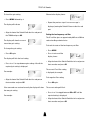
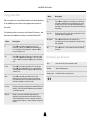
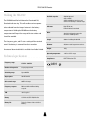
Brown reset button
.
Resets the TX2040 and turns it on again from sleep mode.
Top panel
Please use the tip of the antenna to press the button.
On (green)
Overload (orange)
Audio
input socket
Battery compartment
Infra-red
Antenna
port
Holds a 6LR61 type 9V alkaline battery.
Audio input
Allows a microphone or input cable to be connected.
SMA antenna connector
On/Reset button
SMA socket to which the antenna is connected.
Infra-red port
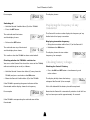
LF cut using SwitchiR
Receives commands from and transmits status information
Gives approximately 6dB LF cut at 50Hz, to assist in the
back to the SwitchiR infra-red controller.
reduction of wind noise.
On/Overload indicator
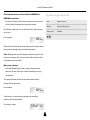
Gain setting using the SwitchiR
The LED glows green while the TX2040 is switched on, but
Provides eight gain options when used with standard
will flash orange to indicate an overload in the presence of a
microphones. Position 9 gives maximum gain and each
high-level audio signal. At this point the low distortion limiter
position decreases the gain by approximately 3 to 4dB,
operates.
giving a total of 30dB of adjustment. Positions 1 and 0
provide line-level input.
2
88