1
APBX IP02 User Manual
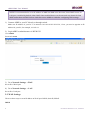
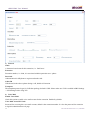
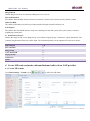
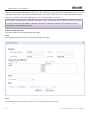
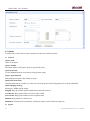
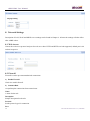
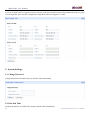
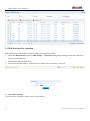
Some servers need to authenticate sender before sending email, then the box should be checked.
Test SMTP Settings
Check whether the SMTP setup is OK. PBX will send an email to the test email address using above SMTP setting
information. If the test failed, please check that information and network connection.
NOTE: After SMTP setting, please set Email address for each extension to achieve Voicemail to Email
function.
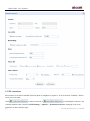
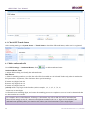
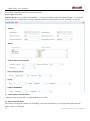
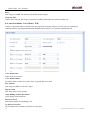
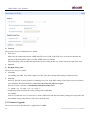
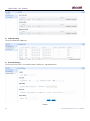
2) Voice Mail Setting
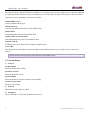
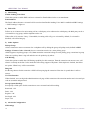
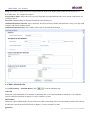
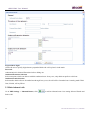
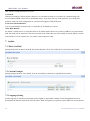
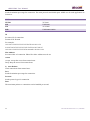
Max Messages
This limits the number of messages in a voicemail folder. The maximum value is 9999 (hard coded) and the default
100. When a mailbox has more than this number of messages in it, new messages can not be recorded and “voice mail
box is full” is played to the caller.
Max Messages Time
This defines the maximum amount of time in seconds of an incoming message. Use this when there are many users
and disk space is limited. The default value is 120 (2 minutes), 0 means there will be no maximum time limit
enforced.
Min Messages Time
This setting can be used to eliminate messages which are shorter than a given amount of time in seconds. The default
value for this setting is 5.
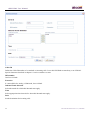
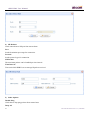
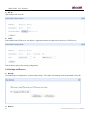
Say CID/Duration
Read back caller’s telephone number / message duration prior to playing the incoming message when checking it.
Envelope
Envelope controls whether or not APBX will play the message envelope (date/time) before playing the voicemail
message.
Review
Let a caller review their message before committing it to a mailbox.
20
ATCOM TECHNOLOGY CO., LIMITED