1
3Com Router 3000 ADSL2+ Family
Installation Guide
3. Starting and Maintaining the Router
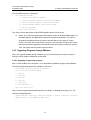
Step 2: Enter the name of the new connection in the Name field and click <OK>. The dialog box, as
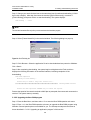
shown in Figure 3-3, displays.
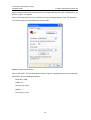
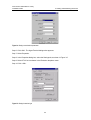
Step 3: Select the serial port to be used from the Connect Using dropdown menu. The serial port
must be the same port connected by the console cable.
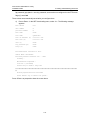
Figure 3-3 Setting the connection port
Step 4: Click <OK>. The Port Settings tab, shown in Figure 3-4, appears and you can set serial port
parameters. Set the following parameters:
Baud rate = 9600
Databit = 8
Parity check = none
Stopbit = 1
Flow control = none
3-2