1
3Com Router 3000 ADSL2+ Family
Installation Guide
Table of Contents
Table of Contents
Chapter 1 Product Overview ..................................................................................................... 1-1
1.1 Introduction ..................................................................................................................... 1-1
1.2 Hardware Features of the 3Com Router 3040 ............................................................... 1-2
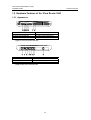
1.2.1 Appearance.......................................................................................................... 1-2
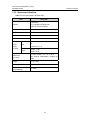
1.2.2 System specifications .......................................................................................... 1-3
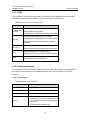
1.2.3 LEDs .................................................................................................................... 1-4
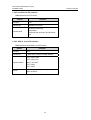
1.2.4 Interface attributes ............................................................................................... 1-4
1.3 Hardware Features of the Router 3041.......................................................................... 1-6
1.3.1 Appearance.......................................................................................................... 1-6
1.3.2 System specifications .......................................................................................... 1-7
1.3.3 LEDs .................................................................................................................... 1-8
1.3.4 Interface attributes ............................................................................................... 1-9
Chapter 2 Installing the Router................................................................................................. 2-1
2.1 Safety Precautions ......................................................................................................... 2-1
2.2 Installing the Router........................................................................................................ 2-2
2.2.1 Placing the Router on a Tabletop/Workbench ..................................................... 2-2
2.2.2 Mounting the Router on a Vertical Surface.......................................................... 2-2
2.3 Connecting the Ground Wire .......................................................................................... 2-3
2.4 Connecting the Power Cord ........................................................................................... 2-3
2.4.1 AC-input power supply......................................................................................... 2-3
2.4.2 Connecting the AC-input power cord................................................................... 2-3
2.5 Connecting the Router to a Console Terminal ............................................................... 2-4
2.5.1 Console cable ...................................................................................................... 2-4
2.5.2 Connecting the console cable.............................................................................. 2-4
2.6 Connecting the Router to LAN........................................................................................ 2-5
2.6.1 Ethernet cable...................................................................................................... 2-5
2.6.2 Connecting an Ethernet cable.............................................................................. 2-5
2.7 Verifying Installation ....................................................................................................... 2-6
Chapter 3 Starting and Maintaining the Router ...................................................................... 3-1
3.1 Starting up the Router .................................................................................................... 3-1
3.1.1 Setting up a Configuration Environment .............................................................. 3-1
3.1.2 Powering on the Router ....................................................................................... 3-4
3.2 Maintaining the Router ................................................................................................... 3-5
3.2.1 Boot Menu............................................................................................................ 3-5
3.2.2 Upgrading Programs through XModem ............................................................... 3-7
3.2.3 Backing up and Restoring the Extended Segment of the Boot ROM Program ... 3-9
3.2.4 Upgrading Application Programs with NET ....................................................... 3-10
i