1
ApollonII_general-copy_SEC.book
3 ページ 2004年9月6日 月曜日 午後4時57分
INSTALLATION REQUIREMENTS
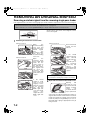
Moving this machine
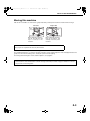
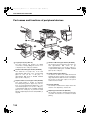
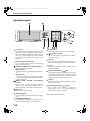
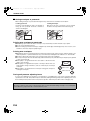
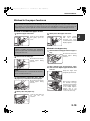
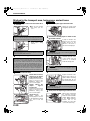
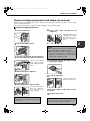
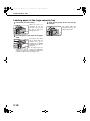
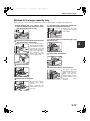
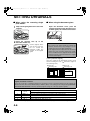
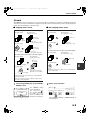
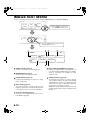
Pull out the four handles as shown below, grasp them firmly, and keep the machine horizontal while moving it.
Left side
Exit
tray
Handles
Before lifting the machine,
fold up the exit tray and
tape it securely to the
machine.
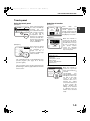
Right side
Bypass
tray
Handles
Before lifting the machine,
fold up the bypass tray
and tape it securely to the
machine.
Caution
Two people are required to lift and carry this machine.
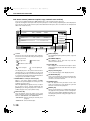
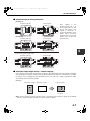
If the machine has been placed on a stand/paper drawer:
The stand/paper drawer is on casters for moving. Unlock the casters and the adjusters of the stand/paper drawer and
gently move the machine taking care to steady it to prevent it from toppling.
For locking and unlocking the casters and the adjusters, see page 0-4.
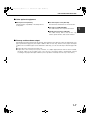
If the machine is to be left unused for a long time
If the machine is to be left unused for a month or longer, follow the procedure on pages 2-6 and 2-7 to release
the pressure on the fusing roller.
0-3