1
Updating Software
Obtaining New Software
D - Updating Software
The latest version of the Lantronix MSS operating software and its associated
release notes can be downloaded directly from Lantronix in one of two ways:
anonymous FTP through the Internet or dial-up via modem.
Comments and/or requests for help via email are welcome - send them to
[email protected] and they will be routed appropriately. Comments
regarding the FTP/download process can be sent to [email protected]. Mail
can also be sent from within the dial-in modem menu.
D.1 Obtaining New Software
D.1.1 Via FTP
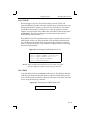
Server software resides on the Lantronix FTP server (ftp.lantronix.com)
whose current IP address is 192.73.220.84. This is subject to change at any
time; the text name should be used if possible.
The Þles are stored in normal and Unix compress formats (Þlename.z); if you
have access to the Unix compress utility, you should download the
compressed versions. These Þles are binary data, so the binary option must be
used to transfer the Þles.
To log into the FTP server, use the username anonymous and enter your full
email address as the password. If the FTP server cannot verify the username
or email address, you will be denied access. The machine that issues the FTP
command must be resolvable via the INADDR.ARPA DNS record for the
connection to succeed. If access is denied, try using a ÒknownÓ machine such
as a gateway or nameserver.
D-1