1
EPSON Stylus Pro 7600/9600
Revision A
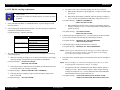
4.2.2 R Side Cover
Lever Blind Cap
1.
Remove the Panel Unit. (p.159)
2.
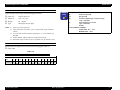
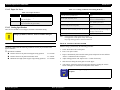
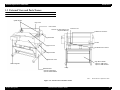
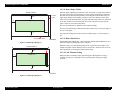
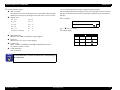
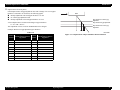
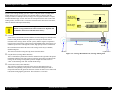
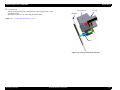
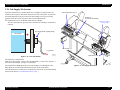
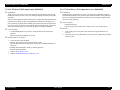
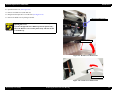
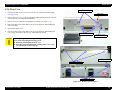
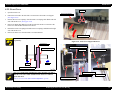
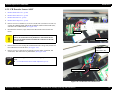
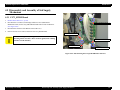
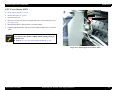
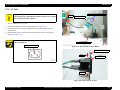
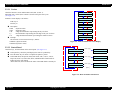
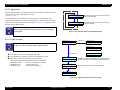
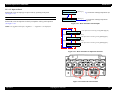
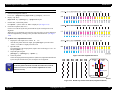
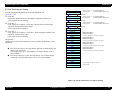
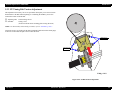
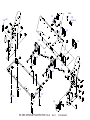
Push back the Paper Set Lever to the released position.(See Figure 4-6)
3.
Remove two black screws (CBP: M4×10) from the lever handle, and remove the
handle.
4.
Using a (-) driver or similar tool, remove the lever blind cap.
C H E C K
P O IN T
Paper Set Lever
Take care not to drop the lever blind cap into the printer.
Black screws (CBP: M4×10) ×2
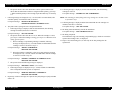
5.
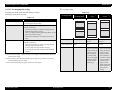
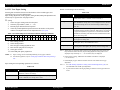
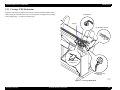
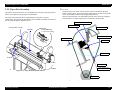
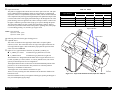
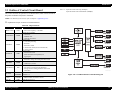
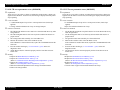
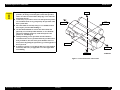
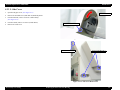
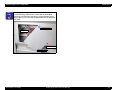
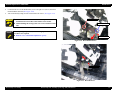
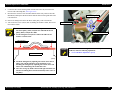
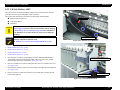
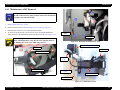
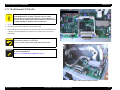
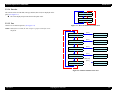
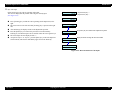
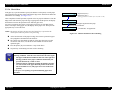
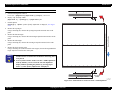
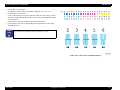
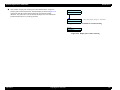
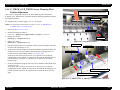
Open the roll paper cover. (See Figure 4-7)
6.
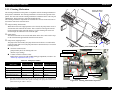
Remove the one black screw (CBP: M4×10) from inside the printer.
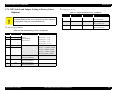
Adjust the height of the Paper Set Lever by means of the black
screws so that the Paper Set Lever does not come in contact with the
Lever Blind Cap.
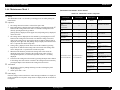
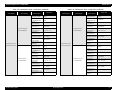
Figure 4-6. R Side Cover Removal 1/5
Roll Paper Cover
Black screws (CBP: M4×10)
Figure 4-7. R Side Cover Removal 2/5
Disassembly & Assembly
Removing the Panel Unit and Housing
160