1
Chapter 5: CCM Commands
81
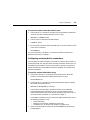
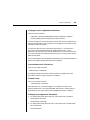
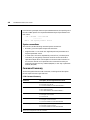
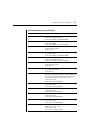
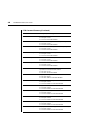
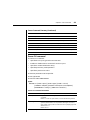
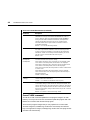
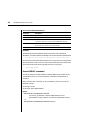
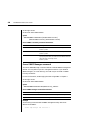
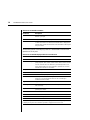
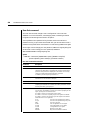
User Set Command Parameters (Continued)
Parameter
Description
ACCESS=<access>
(Continued)
Valid values for access levels are:
ADMIN
PALL, USER, SMON, PCON and
BREAK access rights.
APPLIANCEADMIN
PALL, USER, SCON, SMON,
PCON and BREAK access rights.
Default = PALL,SMON
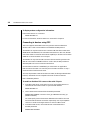
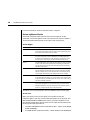
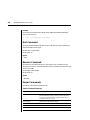
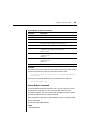
Examples
The following command sets the access rights for JohnDoe enabling access to
all ports with configuring and monitoring access rights.
> user set JohnDoe access=pall,scon,smon
The following command removes the server configuration access right for
JohnDoe, and leaves other access rights intact.
> user set JohnDoe access=-SCON
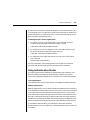
The following command deletes the SSH key information for JohnDoe.
The command will complete successfully only if JohnDoe has a password
configured in a previous User Add or User Set command, and if there are other
users with User access rights.
> user set key=“”
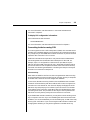
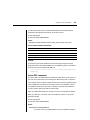
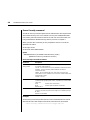
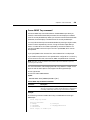
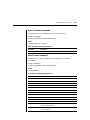
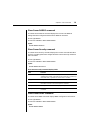
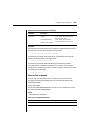
User Unlock command
The User Unlock command unlocks a user who was previously lockedout. After this command completes, the user will be able to attempt login
authentication again.
Access right: USER
Access level: APPLIANCEADMIN may unlock any user; ADMIN may unlock
any user except APPLIANCEADMIN
Syntax
USER UNLOCK <username>
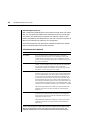
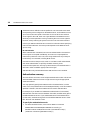
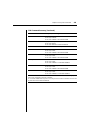
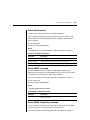
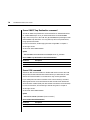
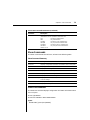
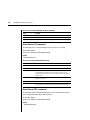
User Logout Command Parameter
Parameter
Description
<username>
Username to be unlocked.