1
34
CHAPTER 4: NBX MESSAGING
■
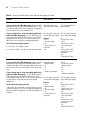
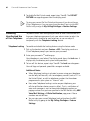
If you can dial your telephone extension directly — Press *
during your personal greeting. At the prompts, enter your extension
and password, and press #.
■
If you call the main telephone number of your organization
and:
■
■
Managing Your
Messages
The Automated Attendant answers — Press ** during your
personal greeting. At the prompts, enter your extension and
password, and press *.
The receptionist answers — Ask to be transferred to your voice
mail. Press * during your personal greeting. At the prompts, enter
your extension and password, and press #.
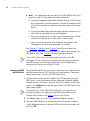
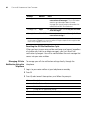
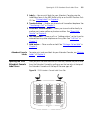
Use these buttons to manage your messages:
Press 1 to play or repeat the message.
Press 2 to save the message.
Press 3 to delete the message from your mailbox. You cannot retrieve a
message after you delete it.
Press 4 to reply to the message. See “Replying to a Message” later in this
chapter.
Press 5 to forward the message. See “Forwarding a Message” later in this
chapter.
Press 6 to listen to date, time, and sender information about the
message. See “Information About Your Messages” next.
Press 7 to back up 3–5 seconds in the current message.
Press 8 to pause the current message for up to 20 seconds.
Press 9 to move ahead 3–5 seconds in the current message.
Press # to move to the next message.
Press * to return to the main menu.
Information About
Your Messages
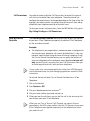
To listen to date, time, and sender information about a message in your
mailbox, press 6 during or after the message, and then press one of these
buttons:
Press 1 for date and time information.
Press 2 for sender information.
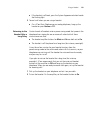
Press 4 to listen to the previous message.