1
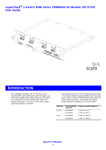
MANAGING THE MODULE The module requires management software version 2.42 or later to be installed on the Switch. For instructions on upgrading management software, refer to the documentation supplied with your Switch. The Current Flow Control field in the Web interface Support for the management software is supplied by 3Com Transcend® Network Control Services. It is not possible to disable the auto-negotiation system through either the Web or the Command Line Interface. An error message is displayed if you try to disable auto-negotiation on the module through the Command Line Interface. displays the method of flow control currently used by the module port. If auto-negotiation is not yet complete, Not Determined is displayed. When the module is installed in a suitable Switch, the Switch interfaces contain features to monitor the auto-negotiation system specified in the IEEE 802.3 Ethernet standard. This system allows the module port to automatically detect the flow control setting of a Gigabit Ethernet link. The module port has restricted functionality — for details, see “Module Port Restrictions” below. As a consequence, the Port Setup page for the port does not contain all the standard listboxes. MODULE PORT RESTRICTIONS The port cannot be part of a port trunk. When using the module port, note the following: The port does not support VLT tagging. The port only operates in full duplex. You cannot create a resilient link pair that includes the port and another port that uses VLT tagging. The port only supports full duplex flow control in symmetrical mode, as defined by the Gigabit Ethernet standard. You cannot disable or alter this mode. You cannot disable auto-negotiation in the module. You can only restart auto-negotiation using SNMP, and not from the Web interface or from the Command Line Interface. The port only supports the Store and Forward forwarding mode. The port does not support PACE. For information on other module port restrictions, refer to the documentation supplied with your Switch. You cannot manage the port using the Internetwork Packet Exchange protocol (IPX). PROBLEM SOLVING If you suspect a problem, carry out these steps before contacting your supplier: Ensure that all connectors on the cable are correctly engaged. Ensure that the Switch in which the module is fitted is turned on. Ensure that the cabling installation conforms to the Category 5 standard. A white paper which describes this standard is available from the 3Com web site. Ensure that the module is correctly installed in the Switch. For more general problem solving information, refer to the documentation supplied with your Switch. Ensure that the device at the far end of the link is on and operating correctly. 3