1
5-Advanced Setting
HCO
SG550/SG530
(c)
(3)
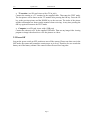
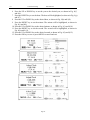
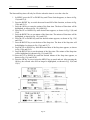
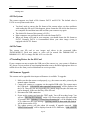
Figure 13: Setting PIR sensitivity
4.1.10 Time Stamp
If you want the time when the picture or video was taken to be stamped in the pictures and
video clips, you can choose the time stamp option. The default value is ON.
1
2
3
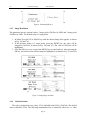
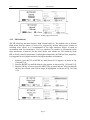
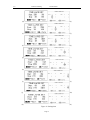
Press the UP or DOWN key until Time Stamp appears, as shown in Fig. 14(a) and
14(1).
Press the RIGHT key to change the value to the desired value, as shown in Fig. 14(b)
and 14(2).
Press the OK key to save or MENU key to cancel and exit. After pressing the OK key,
the selected value will no longer be highlighted, as shown in Fig. 14(c) and 14(3).
(a)
(1)
(b)
(2)
(c)
(3)
Figure 14: Setting time stamp
4.1.11 Timer
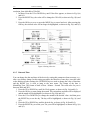
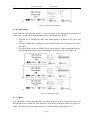
You can define a certain time period in a day when the camera can be triggered. In the rest of
the time the device is shut off. This function is only effective when the camera is in the Live
mode. The value of the hour ranges from 0 to 23 and the minute ranges from 0 to 59.
Page 17