1
Toolbar
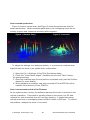
The toolbar provides quick access to several commonly used sonar functions.
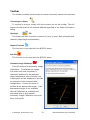
Connecting to a Sonar
To connect to a sonar, simply click the connect icon on the toolbar. This will
connect to the sonar at the network address specified in the Sonar Connection
dialog.
Opening a
File
This allows the user to select a sonar file (.son) to open. Both playback and
network output begin automatically.
Network Transmit
This function is not used with the BV5000 setup
New File
This function is not used with the BV5000 setup
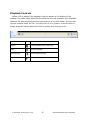
Automatic Image Calibration
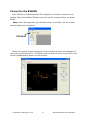
This will perform an automatic Image
Calibration. To calibrate the image,
first make sure that the sonar is
thermally stabilized to the ambient
water temperature then click the icon.
A dialog box will be displayed to provide
an example of the recommended
configuration. Ensure the sonar is
pointed at an appropriate target. If an
appropriate target is not available
Manual Calibration is available and
discussed later in this manual.
Automatic Image Calibration will occur
after clicking OK.
© BlueView Technologies Corp
23
BlueView BV5000 User Handbook