1
Table of Content
Chapter 1 Introduction ................................................................ 5
System Contents ...................................................................................... 5
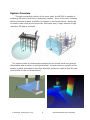
System Overview ..................................................................................... 6
Typical 3D Point Cloud Collection Overview................................................... 7
Chapter 2
Software Installation............................................... 8
ProScan Installation .................................................................................. 8
Meshlab Installation .................................................................................. 8
Leica Cyclone ........................................................................................... 9
Chapter 3
System Assembly and Testing ............................... 11
Assembling the Hardware ........................................................................ 11
Connect Components .............................................................................. 12
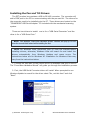
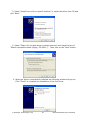
Installing the Pan and Tilt Drivers ............................................................. 13
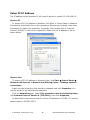
Setup PC IP Address ............................................................................... 16
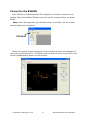
Connect to the BV5000............................................................................ 17
Installation of the Pan & Tilt Unit .............................................................. 18
Chapter 4 ProScan Software Basics ........................................... 20
Typical ProScan Screenshot...................................................................... 20
Image Display........................................................................................ 21
Toolbar ................................................................................................. 22
Toolbar ................................................................................................. 23
Range Controls....................................................................................... 24
Range and Bearing ................................................................................. 24
Playback Controls ................................................................................... 25
Settings/Sonar Control ............................................................................ 26
Manual Image Calibration ........................................................................ 27
Pan and Tilt Controls ............................................................................... 28
Screen Information ................................................................................. 29
Scan Setup ............................................................................................ 30
Chapter 5 Recording and Reprocessing Data ............................. 33
Configure Recording................................................................................ 33
Scan Intensity Files (.son) ....................................................................... 34
3D Point Cloud Files (.xyz & .off) .............................................................. 34
Sonar Settings File (.txt) ......................................................................... 35
© BlueView Technologies Corp
3
BlueView BV5000 User Handbook