1
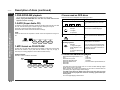
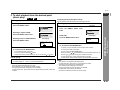
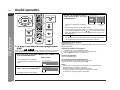
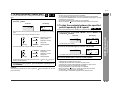
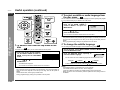
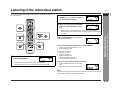
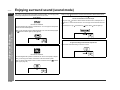
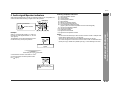
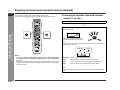
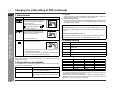
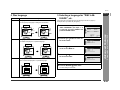
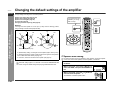
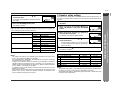
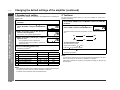
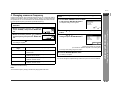
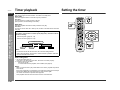
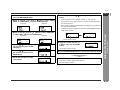
SD-PX2 ENGLISH Audio signal/Speaker indicators (1) (2) (3)(4) (5) (6) Audio signal indicator Speaker indicator (7) (8) (9) (10) (11) (12) (13) Example: When 2.1 channel audio signals (L, R, LFE) are received, the audio signal indicators "L", "R" and "LFE" light up. The illustration on the right indicates that 2 channel stereo sound (L and R) is reproduced. (9) (10) (11) (12) (13) Left Front Speaker Indicator Left Indicator Center Indicator Center Speaker Indicator Right Indicator Right Front Speaker Indicator Low Frequency Effect Indicator Surround Monaural Signal Indicator (Lights up when the surround speakers receive monaural signals.) Left Surround Speaker Indicator Left Surround Indicator Subwoofer Indicator Right Surround Indicator Right Surround Speaker Indicator Notes: z You can switch the audio output when the disc contains sounds of multiple audio formats (Dolby Digital, DTS, etc.). See page 26. z Sound may not be produced from the subwoofer depending on the disc. z You cannot change the multi channel mode or stereo mode on DVD-Audio discs (audio part only) or SACD discs (SACD layer only), or while listening to the radio. L, R, LFE: Incoming audio signals When Dolby Pro Logic (1) (2) (3) (4) (5) (6) (7) (8) is activated 2 channel stereo sound is converted to 5.1 channel surround sound, and all the speaker indicators " " light up. Advanced Features Audio signal indicators light up for the corresponding audio source, and speaker indicators are illuminated according to signals sent to the speakers. - Enjoying surround sound (sound mode) - Audio Signal/Speaker Indicators: " " appears when the speakers are receiving audio signals. E-36