1
SD-PX2
Setting
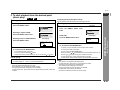
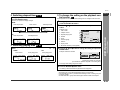
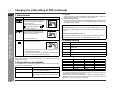
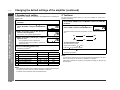
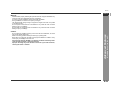
TV MODE
Selectable parameters
(* indicates initial settings.)
TV MODE
Description
Reference
page
Select according to the TV.
P. 41
ENGLISH
ON
OFF*
If the TV supports progressive scan, select "ON" to enjoy high resolution images. If not, set to "OFF".
P. 41
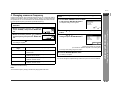
DVD-AUDIO
AUDIO*
VIDEO
Some DVD-Audio discs contain both DVD-Audio and DVD-Video contents. Select either as default.
P. 29
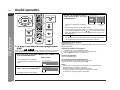
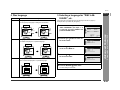
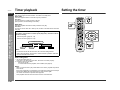
PASSWORD
Please enter a 4digit password.
You can set a 4-digit password required to change the "LEVEL" and "CODE" (country code). If you
forget the password, press the button four times.
P. 41
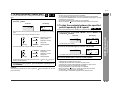
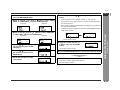
LEVEL
LEVEL 1 - 8
OFF*
Restrict viewing by selecting a level.
P. 41
CODE
USA*
CANADA
Set a country code according to a parental control level of discs.
P. 41
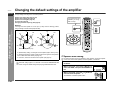
BITSTREAM*
D-PCM
Select the audio output according to the external equipment connected to the optical digital audio output jack.
P. 57
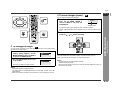
ENGLISH*
SPANISH
Select a language to play. If the selected language is not available, the disc plays in a default language.
P. 42
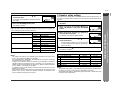
ENGLISH
SPANISH
Select a language for subtitles (displayed on the TV screen). If the selected language is not available,
subtitles appear in a default language.
P. 42
OTHER
OFF*
OFF: Select this to hide subtitles.
MENU
EN*
Select a language for the disc menu, etc. If the selected language is not available, the display appears
in a default language.
ENGLISH*
DEUTSCH
Select an OSD (On Screen Display) language for initial settings and operations.
(Selectable when
a disc is not inserted.)
PARENTAL
AUDIO
DISC
LANGUAGE
DIGITAL
AUDIO
OTHER
SUB TITLE
OSD
LANGUAGE
Advanced Features
PROGRESSIVE
OUT
- Changing the initial setting of DVD -
*
P. 42
ESPAÑOL
FRANÇAIS
SVENSKA
ITALIANO
NEDERLANDS
E-40