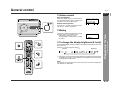
1
Changing the initial setting of DVD
SD-PX2
ENGLISH
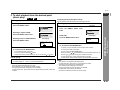
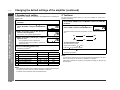
A new setting will be retained even if the unit is set to the stand-by mode. If you want
to restore or change the setting, reset it.
2
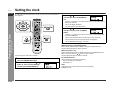
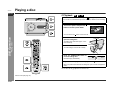
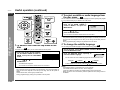
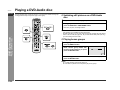
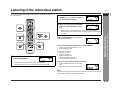
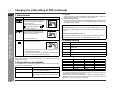
Press the or
TER button.
button to select a setting item and press the EN-
For setting items, see the table on page 40.
3
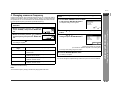
Press the , ,
ENTER button.
or
button to select a parameter and press the
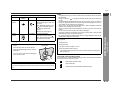
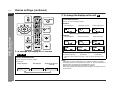
Example: "TV MODE" is selected
Advanced Features
- Changing the initial setting of DVD -
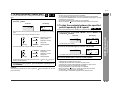
To change other settings, begin from step 2.
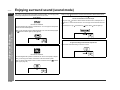
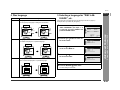
4: 3
PROGRESSIVE OUT
DVD-AUDIO
OFF
AUDIO
LB
TV MODE
4: 3
PS
4: 3
LB
16 : 9
TV MODE
4: 3
PS
4: 3
LB
16 : 9
4
1
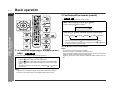
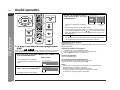
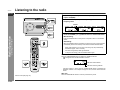
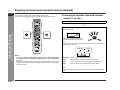
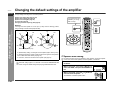
Press the button, set the MODE 1/
MODE 2 switch to MODE 2 and press
the DVD SET UP button.
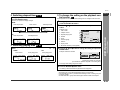
The initial setting screen appears.
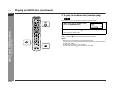
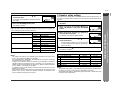
Press the RETURN
button twice.
The new setting is memorized.
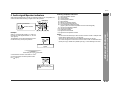
DVD SETUP
TV MODE
PARENTAL
AUDIO
DISC LANGUAGE
OSD LANGUAGE
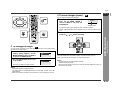
Notes:
z You cannot display the initial setting screen while a disc is playing.
z The previous screen appears by pressing the RETURN
button while selecting
an item or setting.
SELECT
ENTER ENTER
E-39
TV MODE
RETURN