1
Valcom Master Clock (V2)
Web Browser Programming
Main Menu
1
2
3
4
5
1
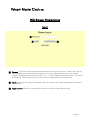
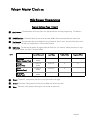
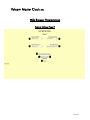
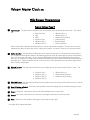
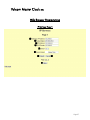
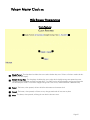
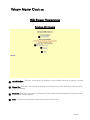
Technician Menu - This link will access the Technician Menu log-in page. The Technician Menu is password protected and has access to system settings, IP settings, as well as feature settings for the master clock.
2
Time - This field is where the current time is displayed. The time can be edited by clicking within the field, and typing
in the desired time. The time must be entered in 24 hour format (HH:MM:SS). After typing in the desired time, click
the Submit button to set the time on the unit (if there is no input connected).
3
Date - This field is where the current date is displayed. The date can be edited by clicking within the field, and typing
in the desired date. The date must be entered in mm/dd/yyyy format. After typing in the desired time, click the Submit button to set the date on the unit (if there is no input connected).
4
Submit - This button, when pressed, will submit the date and time shown on the screen to the master clock.
5
Log Out - This button, when pressed, will log the user out of the browser interface.
Page 21