1
Unit 4: Printer Configuration
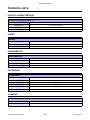
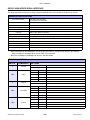
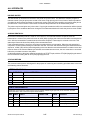
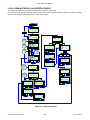
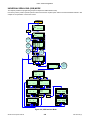
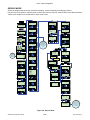
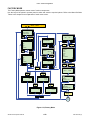
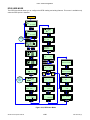
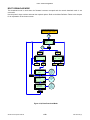
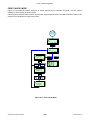
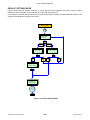
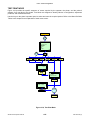
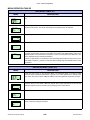
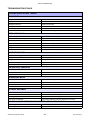
RFID USER MODE (TABLE 4-12)
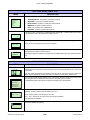
MENU
DESCRIPTION
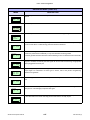
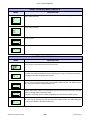
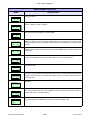
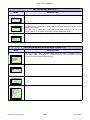
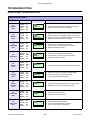
Printing a slash on a tag when an RFID tag error occurred.
YES: Prints a slash at the time of RFID tag error.
NO: Not printing a slash at the time of RFID tag error.
NO
The initial value is NO.
Allows the selection of the output pattern of RFID error. Selecting PULSE will result in a
single pulsating output and selecting LEVEL will result in a flat output.
RFID ERR OUTPUT
PULSE
Use the printer’s operator panel to scroll and select the desired option.
LEVEL
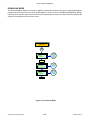
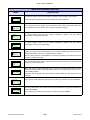
Displays the Firmware version of the RFID module. Use the printer’s operator panel to
advance to the next menu screen.
READER VERSION
XXXXX.XX.XX.XX
PRESS ENTER KEY
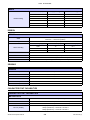
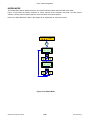
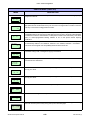
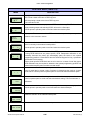
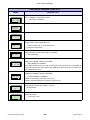
Allows the determination of whether or not the EPC data will be viewed in the inlay
which is currently in the antenna’s read position.
VIEW EPC DATA
YES
NO
Use the printer’s operator panel to scroll and select the desired option.
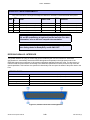
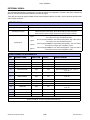
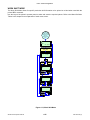
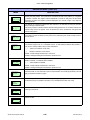
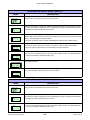
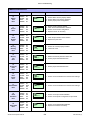
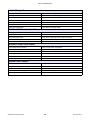
The Calibration Mode allows calibration of the RFID transponder.
CALIBRATION MODE
YES
NO
If using RFID labels that are printer specific, RFID transponder calibration is not
necessary because the printer will automatically place the labels in the optimal
programming position. Contact SATO America Technical Support for inlay + placement
specifications as necessary.
Where printer specific RFID labels are not to be used or in cases of new inlay types,
RFID calibration may be required to determine the optimal programming position and
transmission/reception power conducive to that media.
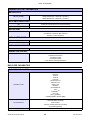
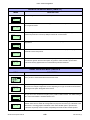
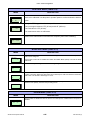
Allows the selection of the label quantity to be used for calibration. A measurement will
CAL. LABEL COUNT
1
2
3
occur for each label to create a ratio of variance in determining the nominal. A report
will be issued. Use the printer’s operator panel to scroll and select the desired option.
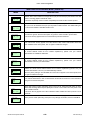
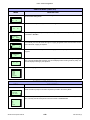
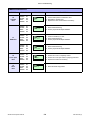
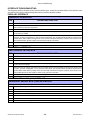
Allows the determination of label length to be used for calibration purposes. Use the
printer’s operator panel to scroll and select the desired setting. The increments are in
LABEL SIZE
XXXmm
millimeters.
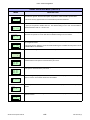
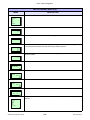
Allows the determination of the maximum quantity of write attempts at a single position.
MAX. WRITE COUNT
Use the printer’s operator panel to scroll and select the desired attempts.
XXX time(s)
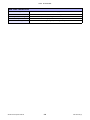
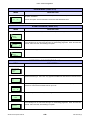
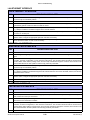
Allows the selection of the calibration start power.
CAL. START POWER
XX.XmW
XX.XdBm
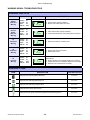
Allows the selection of the calibration end power.
CAL. END POWER
XX.XmW
XX.XdBm
S8400 Series Operator Manual
4-44
PN: 9001160 (C)