1
FD100-Eng-USA2
1/8/97 11:07 PM
Page 50
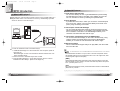
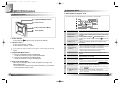
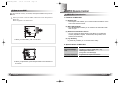
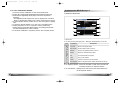
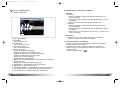
5. PC Memory Information Part
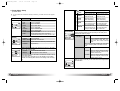
2) Menu Table of MPIO Manager 2
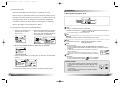
6. Memory File (Folder) Managing Part
- Manages files(folders) in the internal memory & memory card of
MPIO.
Icon
Function
Description
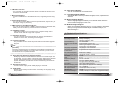
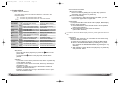
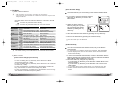
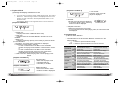
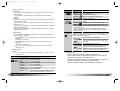
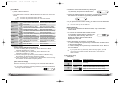
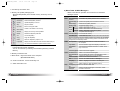
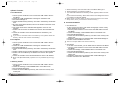
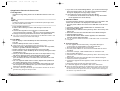
* Below is the Table of Operation of Each Items from the MPIO
Manager 2 Menu.
MENU
File
DESCRIPTION
Download a file (folder) stored in the PC to MPIO.
Download
Download file(folder) to MPIO.
Upload
Upload file(folder) to the PC.
Stop
Stop file transfer.
Up Level
Move to the upper folder
New Folder
Create a new folder in the memory
Refresh
Display the memory status updated.
Delete
Delete the file(folder) selected.
Cut
Cut the file(folder).
Format Memory Card
Copy
Copy the file(folder).
Paste
Paste the file(folder) copied or cut.
Please note that all the files (folders) stored in the memory will be deleted
after Formatting the memory and the working status of the device will be
changed to the initial setup status.
Properties
Display the information of track saved in MPIO and you
can check the available to speed control function.
MPIO Memory Card
Exit
8. Memory Information Part
9. MPIO Audio - Plays files stored on the computer
(MP3/WMA/ASF/WAV).
Tools
ID3 Tag Editor
Delete the file (folder) selected.
Change file (folder) name.
Create a new folder on the PC.
Create a new folder in the internal memory.
Create a new folder in the memory card.
Complete MPIO Manager 2.
Format Memory Card.
Logo Editor
Edit ID3 Tag information of an MP3 file saved in
the computer.
You can create a Logo File to display on the LCD.
FM Stations
Editor
Save channel and detail information of station to display on the LCD.
Firmware Upgrade Performs Firmware Upgrade.
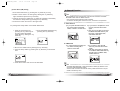
Option Set Window Font
Download MPIO
Font
Erase Font In MPIO
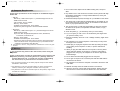
10. Audio List Window - Shows Audio Play List.
11. Audio Information Part
Help
English
Upload a file (folder) stored in MPIO to the PC.
Memory Format Internal Memory Format internal memory.
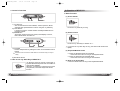
7. Memory List Window
- It shows file list stored in the MPIO.
- You can find the lists by selecting Internal Memory/Memory Card/All
Memory.
50
SUB ITEMS
Download File(s)
to MPIO
Upload File(s) to
PC
Erase File(s)
Rename File
PC
New
Folder MPIO Internal Memory
Select a font used in the Manager2.
You can display file names in the language of each
countries by storing the Font into the MPIO.
Erase the Font stored in the MPIO.
Skin
Language
You can use a selected Skin of Manager2.
Select a language to be used in the Manager2.
Layout
Select whether to apply the display tool tip.
Visit Digitalway's Web Move to the MPIO Web Site.
Site
About MPIO
Displays the MPIO Manager 2 information, MPIO
Manager2
Firmware information.
English
51