1
FD100-Eng-USA1
1/8/97 11:19 PM
Page 36
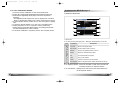
2) Basic Function
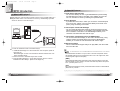
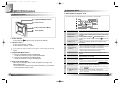
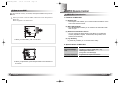
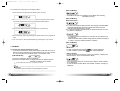
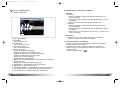
• Play/Pause
- The music file will be played if you press the Joy Stick Key in the
pause state.
- If you press the Joy Stick Key in the play state, the file will be
paused.
• REW/FF
- If you want to move to the previous music, lift the Joy Stick Key to
the direction of REW.
- If you want to move to the next music, lift the Joy Stick Key to the
direction of FF.
- Press the Joy Stick Key for long to the direction of REW to operate
Fast Rewind function.
- Press the Joy Stick Key for long to the direction of FF to operate
Fast Forward function.
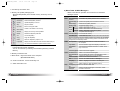
Menu
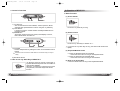
2. REPEAT
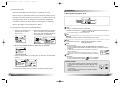
• Mark Replay
- If you press the Mode button while a file is played, Mark Replay
function will be operated.
-> Hit the Mode button at the beginning of the interval which is to be
repeated.
(Interval A is selected.)
-> Hit the Mode button at the end of the interval which is to be
repeated.
(Interval B is selected.)
In order to cancel the Mark Replay function, press the Mode
Button again.
4. STUDY
MODE
3) Menu Setup
• Menu
If you press the Func button shortly in Menu, you will move to
the upper item.
Menu
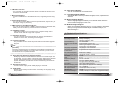
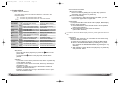
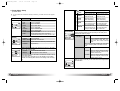
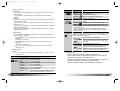
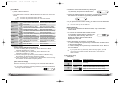
1. EQUALIZER
36
English
Lower Item
Detail Information
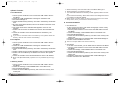
Select the Equalizer Mode according to the genre of music.
1. FLAT
2. POP
3. ROCK
4. JAZZ
5. CLASSIC
6. VOCAL
7. DYNAMIC BASS
8. USER
Play in FLAT Mode.
Play in POP Mode.
Play in ROCK Mode.
Play in JAZZ Mode.
Play in CLASSIC Mode.
Play in VOCAL Mode.
Play in BASS Mode.
You can change the 5 levels of frequency to the
value(100/500/2K/7K/12KHz) you wish to set.
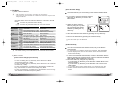
Lower Item
Detail Information
Select the Play Order.
1. NORMAL
2. REPEAT TRACK
3. REPEAT ALL
4. RANDOM
3. FOLDER
MODE
Play sequentially
Repeat the Track Selected.
Play the current music continuously.
Play in random order.
Decide if playing the whole music stored in the memory or the music
stored in the specified folder.
1. DISABLE
Play the whole music stored in the memory.
2. ENABLE
Play the music stored in the specified folder only.
* The music not stored in the folder is considered as stored in the toplevel folder (ROOT).
* The Player plays music files as you set 'REPEAT' and 'FOLDER
MODE', the following table shows how the setting works accordingly.
(Refer to Page 19)
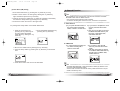
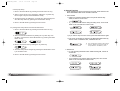
Control the Speed Control Function useful in learning foreign languages, and Easy Finder Function by which you can easily move
within the file while it is played.
1. SPEED OFF
CONTROL USER
Not use Speed Control Function.
Control the playing speed of the file in 9 levels, as
50%, 60%, 75%, 88%, 100%, 125%, 150%, 175%
and 200%.
Not use Easy Finder Function.
2. EASY OFF
FINDER 1 STEP When you search using the Joystick while a file is
played, it will move the amount of about 5 sec.
2 STEP When you search using the Joystick while a file is
played, it will move the amount of about 10 sec.
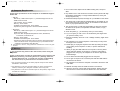
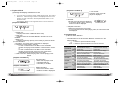
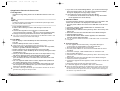
• Menu Setup
- Enter the Menu by pressing the Mode button for long.
- Select a menu which to be changed by shifting the Joy Stick Key
(left and right) and press the Mode Button.
- Change the setup by shifting the Joy Stick Key (left and right) and
save the setup status by pressing the Mode Button.
- Move to the Playback Mode by pressing the Func button.
English
37