1
FD100-Eng-USA1
1/8/97 11:19 PM
Page 2
Contents
Designing Your Digital Dream
Thanks for your purchasing Digitalway MPIO. This manual
provides you with the method of operation and caution. Be
sure to read this manual before using this product.
Digitalway will always try to make better product.
What is MPIO?
This means our own brand of Digitalway including MP3
player and other portable digital audio.
2
English
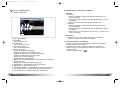
1. MPIO Introduction
3. MPIO Remote Control
1. What is MP3 player / 4
2. Special Features / 5
3. Technical Specifications / 7
4. Computer Requirements / 8
5. Warning / 8
6. Accessories included with your
MPIO FD100 / 10
7. MPIO FD100 control's overview / 11
8. Battery installation / 12
9. How to use Hold Slide / 13
10. How to use Joy Stick Key / 13
1. MPIO RC1 Introduction / 31
1) Features of MPIO RC1
2) Specifications of MPIO RC1
3) Control's Overview
4) How to use Joy Stick Key of
MPIO RC1
2. Function of RC1 Control / 33
1) Basic Function
2) Playback Mode
3) FM Mode
4) Record Function
2. MPIO FD 100 Function
4. MPIO Manager 2 Program
1. Basic Function / 14
1) Power ON/OFF
2) Volume Control
3) Playback/FM Mode Switch
4) Enter to the Power Menu
2. Playback Mode / 15
1) Description of player's LCD
2) Playback Mode
3) Power Menu Setup
3. FM Mode / 23
1) Description of player's LCD
2) FM Mode
4. Record Function / 29
1) Voice Record
2) FM Record
5. How to use SMC / 30
1. MPIO Manager 2 Installation / 45
2. Connecting MPIO to the Computer
/ 47
3. When MPIO is not connected to the
Computer / 47
4. How to use MPIO Manager 2 / 49
1) Controls Overview
2) Menu Table of MPIO Manager 2
3) Basic Function
4) Application Function for Power
User
5) How to use MPIO Audio
5. Other Information
1. MP3 File Creation(Ripping) From
Audio CD / 58
2. Macintosh iTunes Plug-In
Installation / 59
3. Trouble Shooting / 59
4. Limited Warranty / 61
English
3