1
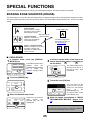
KEY OPERATOR PROGRAMS
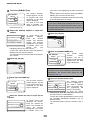
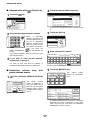
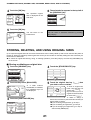
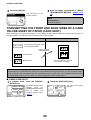
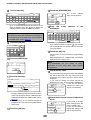
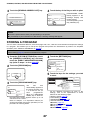
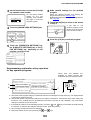
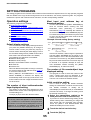
the [NAME] key and enter the name.
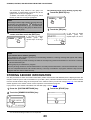
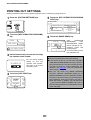
1 Touch
The name entry screen appears.
Original print on transaction report
This program is used to have part of the first page
of the Internet-Fax printed on the transaction
report. This program is used in conjunction with the
transaction report print setting (at right), and is not
effective when printing of the transaction report is
disabled.
This program is normally configured so that part of
the fax is printed on the transaction report when a
transmission is not successful.
Up to 40 characters can be entered for the name.
Refer to Chapter 7 of the Operation manual (for
general information and copier operation) for the
procedure for entering characters.
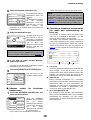
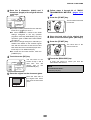
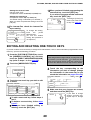
the [OWN ADDRESS] key and enter
2 Touch
the e-mail address.
The address entry screen appears.
Enter up to 56 characters for the e-mail address.
If you make a mistake, press the
key and reenter the correct character.
Be sure to enter the name and address regardless
of I-Fax reception report setting.
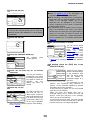
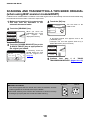
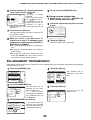
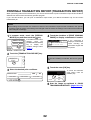
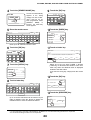
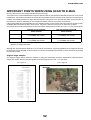
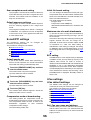
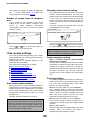
Transaction report print select setting
This setting is used to select the conditions for
printing out Transaction Reports. Conditions can
be selected for normal transmissions, broadcast
transmissions, and receptions.
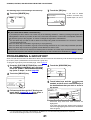
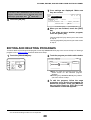
the [OK] key.
3 Touch
You will return to the I-FAX NAME AND OWN
ADDRESS screen.
The name and address you entered appear. Make
sure they are correct.
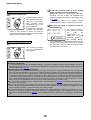
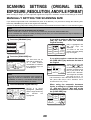
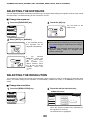
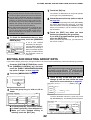
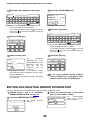
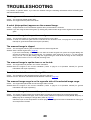
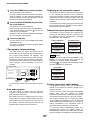
I-Fax speaker volume settings
This setting lets you adjust the volume of the
Internet-fax receive signal and the communication
error signal heard through the speaker. The
receive sound is issued one time when InternetFax data is received and processing is complete.
The communication error sound is issued when an
I-Fax reception report indicating an error is
received.
KEY OPERATOR PROGRAMS
I-FAX SPEAKER VOLUME SETTING
SINGLE SENDING
BROADCASTING
PRINT OUT
ALL REPORT
PRINT OUT
ALL REPORT
PRINT OUT ERROR
REPORT ONLY
PRINT OUT ERROR
REPORT ONLY
NO PRINTED
REPORT
NO PRINTED
REPORT
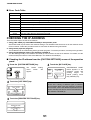
The normal settings are indicated by shading
above.
If the model of the main unit is AR-M355N or ARM455N, or if the document filing functions are
expanded, a reception setting is available.
Touch the
key to display the next setting. Select
the print conditions for receptions.
RECEIVING
OK
RECEIVE SIGNAL
PRINT OUT
ALL REPORT
COMMUNICATION
ERROR SIGNAL
PRINT OUT ERROR
REPORT ONLY
NO PRINTED
REPORT
Volume:
Volume: Off
Low
High
To change the volume, touch the desired volume
key.
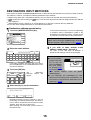
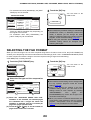
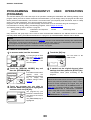
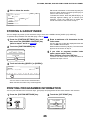
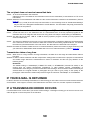
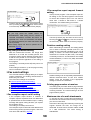
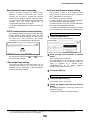
Activity report print select setting
This program is used to have the activity report
stored in the machine's memory printed out at
regular intervals.
You can choose to have the report automatically
printed each time the number of stored
transactions exceeds 99, or have the report printed
at a specified time every day (only once per day).
The report is normally set to not print out. Select
"AUTO PRINT AT MEMORY FULL" to have the
report automatically printed when the number of
stored transactions (the combined total of
transmissions and receptions) exceeds 99.
To have the report automatically printed at a
specified time, check the "PRINT DAILY AT
DESIGNATED TIME" box and then select the time
with the "HOUR" and "MINUTE" keys that appear.
Auto wake up print
Use this setting to select how the machine
responds if an Internet-Fax is received when the
power switch is turned off.
Auto wake up print is normally turned on, which
means that the machine automatically activates
and prints the received Internet-Fax. If you turn off
this setting, received Internet-Faxes will not be
printed until the power switch is turned on.
57