1
Creating and Downloading Waveform Files
Programming Examples
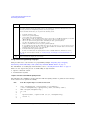
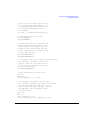
Program Comments (Continued)
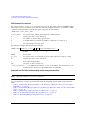
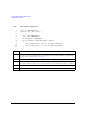
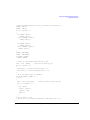
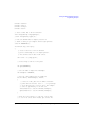
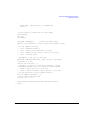
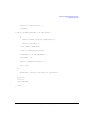
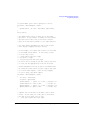
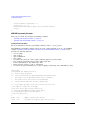
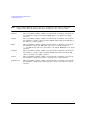
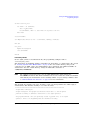
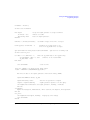
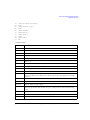
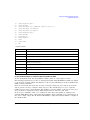
230:
Sends the binary data. Note that PSGb is the binary IO path.
240:
Sends an End–of–Line to terminate the transmission.
250 to 260:
Closes the connections to the signal generator.
290:
End the program.
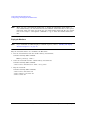
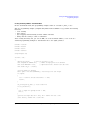
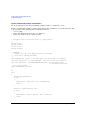
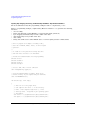
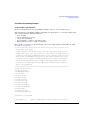
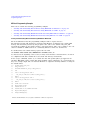
Creating and Downloading Waveform Data Using HP BASIC for UNIX
On the documentation CD, this programming example’s name is “hpbasicUx.txt.”
The following program shows you how to download waveforms using HP Basic for UNIX. The code is
similar to that shown for HP BASIC for Windows, but there is a formatting difference in line 130 and
line 140.
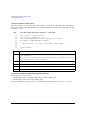
To download into non–volatile memory, replace line 190 with:
190 OUTPUT @PSG USING "#,K";":MMEM:DATA ""NVWFM:testfile"", #"
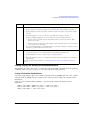
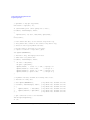
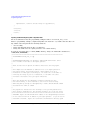
As discussed at the beginning of this section, I and Q waveform data is interleaved into one file in
2’s compliment form and a marker file is associated with this I/Q waveform file.
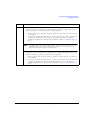
In the Output commands, USING “#,K” formats the data. The pound symbol (#) suppresses the
automatic EOL (End of Line) output. This allows multiple output commands to be concatenated as if
they were a single output. The “K” instructs HP BASIC to output the following numbers or strings in
the default format.
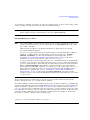
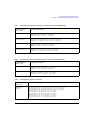
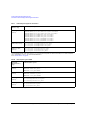
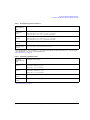
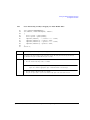
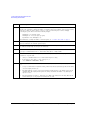
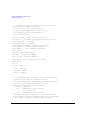
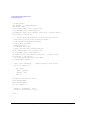
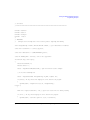
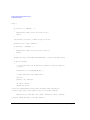
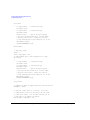
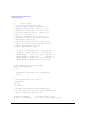
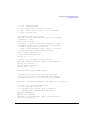
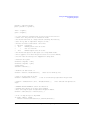
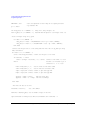
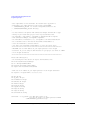
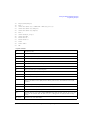
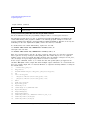
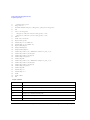
10 !
RE-SAVE "UNIX_file"
20
Num_points=200
30
ALLOCATE INTEGER Int_array(1:Num_points*2)
40
DEG
50
FOR I=1 TO Num_points*2 STEP 2
60
Int_array(I)=INT(32767*(SIN(I*360/Num_points)))
70
NEXT I
80
FOR I=2 TO Num_points*2 STEP 2
90
Int_array(I)=INT(32767*(COS(I*360/Num_points)))
100
NEXT I
110
PRINT "Data generated "
120
Nbytes=4*Num_points
130
ASSIGN @PSG TO 719;FORMAT ON
140
ASSIGN @PSGb TO 719;FORMAT OFF
150
Nbytes$=VAL$(Nbytes)
160
Ndigits=LEN(Nbytes$)
170
Ndigits$=VAL$(Ndigits)
180
WAIT 1
190
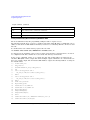
OUTPUT @PSG USING "#,K";":MMEM:DATA ""WFM1:data_file"",#"
200
OUTPUT @PSG USING "#,K";Ndigits$
86
Agilent N516xA, N518xA, E8663B, E44x8C, and E82x7D Signal Generators Programming Guide