1
TABLE OF CONTENTS
CHAPTER 1
BASIC PRINTING PROCEDURES
CHAPTER 5
KEY OPERATOR PROGRAMS
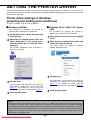
SETTING THE PRINTER DRIVER............................. 1-2
● Printer driver settings in Windows (selecting and
setting print conditions) ....................................... 1-2
● Using the Help file to view explanations of the
settings................................................................ 1-3
● Printing................................................................ 1-4
● Using options to print .......................................... 1-6
KEY OPERATOR PROGRAMS ..................................
● Key operator program list ....................................
● Procedure for using key operator programs........
● Key operator program menu ...............................
DESCRIPTION OF SETTING PROGRAMS ...............
● Printer settings ....................................................
● Network settings..................................................
CHAPTER 2
SETTING THE PRINTER DRIVER
PROPERTIES
SELECTING PRINTING FUNCTIONS .......................
● Settings in the [Main] tab ....................................
● Settings in the [Paper] tab...................................
● Settings in the [Advanced] tab ............................
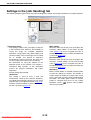
● Settings in the [Job Handling] tab .......................
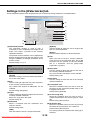
● Settings in the [Watermarks] tab.........................
CHAPTER 6
TROUBLESHOOTING
TROUBLESHOOTING ................................................ 6-2
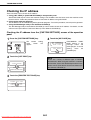
● Checking the IP address ..................................... 6-4
2-2
2-2
2-6
2-9
2-12
2-15
CHAPTER 7
APPENDIX
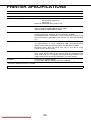
PRINTER SPECIFICATIONS...................................... 7-2
NOTICE PAGE PRINTING.......................................... 7-3
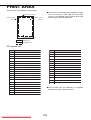
PRINT AREA............................................................... 7-4
CHAPTER 3
WEB PAGES IN THE PRINTER
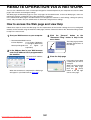
REMOTE OPERATION VIA A NETWORK................. 3-2
● How to access the Web page and view Help .......... 3-2
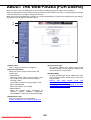
ABOUT THE WEB PAGES (FOR USERS) ................ 3-3
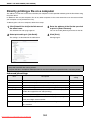
● Directly printing a file on a computer................... 3-4
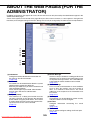
ABOUT
THE
WEB
PAGES
(FOR
THE
ADMINISTRATOR) ..................................................... 3-5
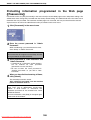
● Protecting information programmed in the Web
page ([Passwords]) ............................................. 3-6
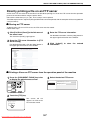
● Directly printing a file on an FTP server.............. 3-7
● E-mail Print ......................................................... 3-9
● E-mail Status and E-mail Alert settings............... 3-10
CHAPTER 4
PRINTER BASIC SETTINGS
MAKING CONFIGURATION SETTING ...................... 4-2
● Operation procedure common to all printer
configuration settings (items that can be set from
the operation panel) ............................................ 4-2
● Printer Default settings........................................ 4-4
● PCL settings........................................................ 4-5
● PostScript settings .............................................. 4-5
Downloaded From ManualsPrinter.com Manuals
5-2
5-2
5-3
5-4
5-5
5-5
5-7
0-1