1
BASIC OPERATION
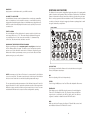
The Minitaur responds to MIDI messages on both DIN and USB MIDI Inputs.
In addition, Minitaur’s knobs and switches transmit MIDI Control Change
(CC) commands via MIDI USB, allowing parameter adjustments to be
captured by any MIDI-recording device. Minitaur has an LED MIDI indicator
that indicates MIDI activity on either the DIN MIDI or USB MIIDI connector.
To further extend the Minitaur’s capabilities, there are additional parameters
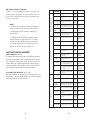
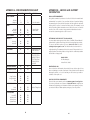
that can be accessed via MIDI control. A complete list of all MIDI CC commands
can be found on page 22-23.
THE COMPONENTS
OSCILLATORS
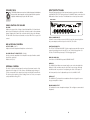
The Oscillators are the main sound source of Minitaur.
They create electronic vibrations that can be tuned
and amplified into sound that we can hear. The
Minitaur’s VCOs can produce a total musical range
of 6 octaves.
OSCILLATOR 1 (VCO 1) serves as a master Oscillator
to which OSCILLATOR 2 (VCO 2) is tuned. Two
independent switches select the waveform for
each Oscillator (Sawtooth or Square). A FINE TUNE
control adjusts the master tuning of both Oscillators.
The frequencies of both Oscillators are affected by a number of sources. The
main source is a ‘Note On’ command transmitted from an external MIDI
controller or DAW. The ‘Note On’ command is translated into a Control
Voltage that allows the Oscillators to be played in an equal-tempered scale.
Other control sources include Minitaur’s GLIDE circuit, VCO 2 FREQ, the
PITCH CV INPUT, the FINE TUNE control, and the output of the MODULATION
(LFO) circuit. The highest pitch produced by Minitaur’s Oscillators is C5
(523.25 Hz) or MIDI note value 72.
PANEL CONTROLS FOR THE OSCILLATOR
OSCILLATOR 1 Switch (CC# 70):
Selects a Sawtooth (LED OFF) or Square wave (LED ON) for VCO 1.
FINE TUNE:
Adjusts the frequency of both VCOs by approximately +/-1 semitone. The
FINE TUNE control does not transmit MIDI.
MIDI ACCESSIBLE CONTROL
VCO 2 BEAT (CC# 18):
Selects the fine frequency offset for VCO 2. The adjustment range is
+/- 50 cents.
Default = 64.
NOTE SYNC (CC# 81):
When enabled, NOTE SYNC forces both oscillators to start at the same
time, eliminating any phase differences at the start of each “Note On”
command. This ensures energy is consistent at the start of each new note.
Default = OFF.
EXTERNAL CONTROL
The PITCH CV jack on the back panel is a CV input for external control of
the Oscillator pitch. This input controls the frequencies of both Oscillators.
A 1 volt change of this voltage will change the pitch by one octave. The
jack accepts 0 to +5 volts, or an expression pedal like the Moog EP-2.
PERFORMANCE TIPS:
• For punchy bass lines, try using NOTE SYNC to keep the
energy at the beginning of each note the same.
• A steady control voltage applied to the PITCH jack will
offset the base pitch of both oscillators. You can use this
feature to transpose the oscillators to any desired interval.
• To recreate the classic Taurus sound, choose the Sawtooth
wave for one or both oscillators.
OSCILLATOR 2 Switch (CC# 71):
Selects a Sawtooth (LED OFF) or Square wave (LED ON) for VCO 2.
VCO 2 FREQ (CC# 17):
Sets the frequency offset of VCO 2 from VCO 1. The offset range is +/-1
octave. Center position tunes VCO 2 in unison with VCO 1. NOTE: If playing
between notes 60 and 72, the pitch of VCO 2 is limited to note 72 (C4)
regardless of this control setting.
9
10