1
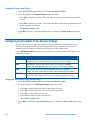
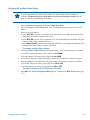
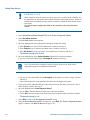
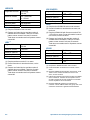
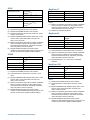
Note: Press Focus during steps 3 or 4 to cancel scan limit programming.
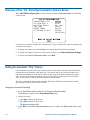
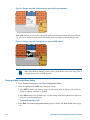
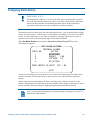
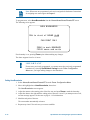
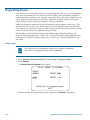
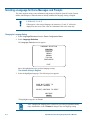
3. Adjust the pan position of the dome to set the left scan limit. Press Zoom to select.
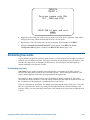
4. Pan the dome to the right to set the right scan limit. Press Zoom to select.
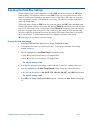
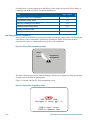
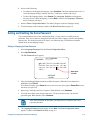
5. When the Alarms/Areas/Home/Presets/PZ screen appears, select Exit. The Dome
Configuration Menu appears. Continue with What To Do Next on page 4–20.
What To Do Next
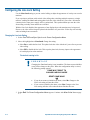
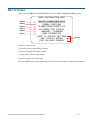
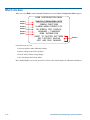
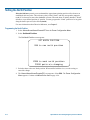
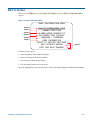
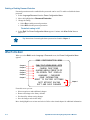
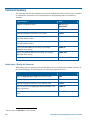
When you select Exit from the Alarms/Areas/Home/Presets/PZ screen, the Dome Configuration
Menu appears.
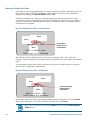
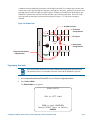
DOME CONFIGURATION MENU
Chapter 2
Chapter 3
Chapter 4
Chapter 5
Chapter 6
Chapter 7
PAN/TILT/ZOOM/SYNC OPTS
CAMERA FUNCTIONS
ALARMS/AREAS/PRESETS/PZ
ON-SCREEN TEXT DISPLAY
LANGUAGE / PASSWORD
DOME INFORMATION
RESET TO FACTORY SETTINGS
QUIT WITHOUT SAVING
EXIT AND SAVE CHANGES
Chapter 1
From this screen you can:
• Select an option to make additional changes.
• Restore all settings to the factory defaults.
• Exit the utility without saving changes.
• Save the changes and exit the utility.
Move the highlight bar to an item and select it. Refer to the related chapter for additional information.
4–20
SpeedDome Ultra VII Day/Night Operator's Manual