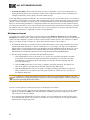
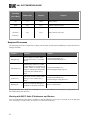
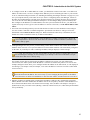
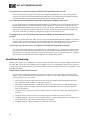
1
CHAPTER 2: Introduction to the HAL System
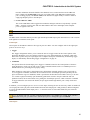
power to the RADs while HAL provides a conduit of control. As soon as the EXP1 is connected, its RAD ports
become visible and available for configuration from within the Halogen software.
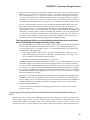
The EXP1 connects to HAL1 via a FireWire1 cable, which has a maximum length of 15 feet. If you need more
RAD ports than are available on the HAL1 device, adding an EXP1 is the solution.
If the additional RAD ports are needed for only temporary channel increases (for example, increasing the
number of microphones in a room for a one-time panel discussion), you may want to consider other options
such as the AM1 or AM2.
TIP :
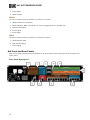
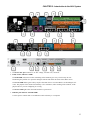
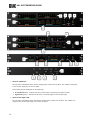
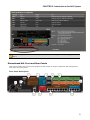
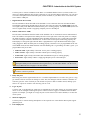
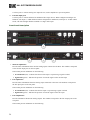
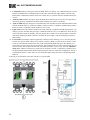
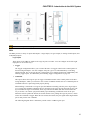
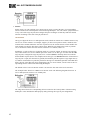
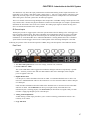
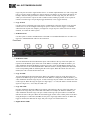
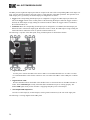
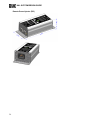
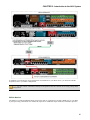
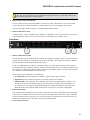
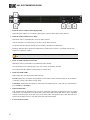
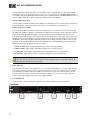
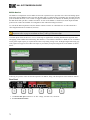
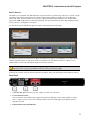
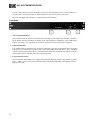
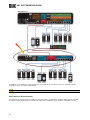
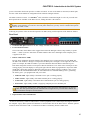
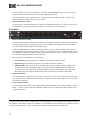
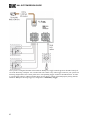
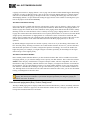
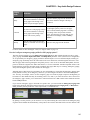
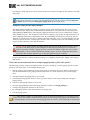
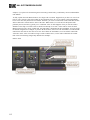
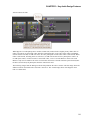
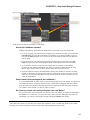
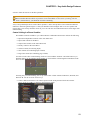
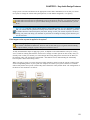
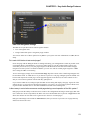
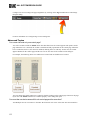
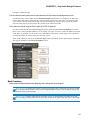
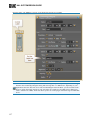
Following are pictures of the rear and front panels of an EXP1, along with descriptions of the hardware features.
Rear Panel
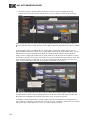
1. The Power IEC jack connects to AC line voltage, 100-240 VAC, 50/60 Hz.
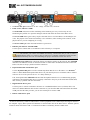
2. Locate and Power LEDs
The Locate LED, which flashes when toggled from within the Halogen software, helps identify a specific
EXP1 — useful if you have more than one EXP1 installed. The Power LED lights when adequate power
is applied to the unit.
3. Remote Audio Device LEDs
Provide status information about the health of the shielded CAT 5e connection between each RAD and
the EXP1. The numbers 1 through 8 correspond to the RAD ports 1 through 8 on the right side of the rear
panel. For example, the LEDs for number 1 provide information about the RAD connected on port 1.
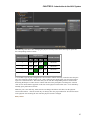
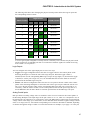
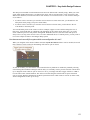
Each LED corresponds with one twisted pair within the shielded CAT 5e cable. If the twisted pair is functioning properly, the LED displays a solid green light when the EXP1 is programmed to expect the RAD
model that is physically plugged in. When all cable pairs are working properly, but HAL is not yet programmed for the connected RAD model, all four LEDs flash red. Note that flashing red is a good thing:
the cable’s good – just program HAL and you’re done.
l
Audio Rx LED - lights solidly if the EXP1 receive pair is working properly.
l
Audio Tx LED - lights solidly if the EXP1 transmit pair is working properly.
l
Comm LED - lights solidly if the RAD's data communications pair is working properly.
l
Power LED - lights solidly if EXP1 is supplying adequate power to the RAD port.
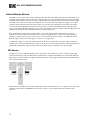
The Remote Audio Device status indicators on the front panel differ from those on the rear
panel. The front panel LEDs provide information about signal activity on each audio channel. See
the Front Panel description for more details.
NOTE:
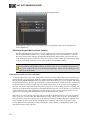
4. Expansion Bus Jacks and Link LED
1A form of connectivity similar to USB, meant to connect peripherals such as MP3 Players and digital cameras to
the computer. Legacy HAL Systems used FireWire to connect EXP1 units to the HAL1 device. FireWire operates
around 30 times faster than a USB 1.1 connection. FireWire is technically known as IEEE-1394.
82