1
Programmer's Guide
POSjet® 1500
Codes and Commands
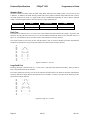
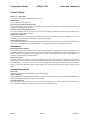
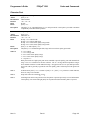
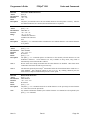
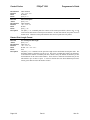
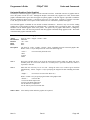
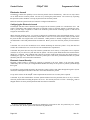
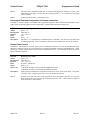
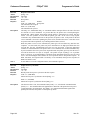
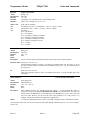
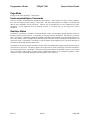
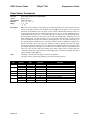
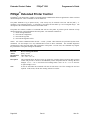
Note 3
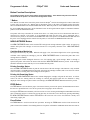
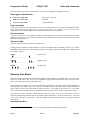
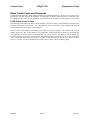
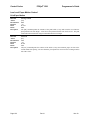
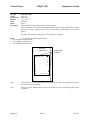
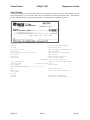
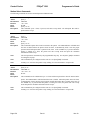
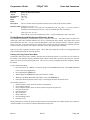
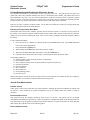
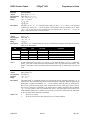
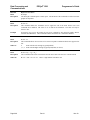
Use the [ESC] I <n> command to select two-pass rotated font. The font selection must be made
before the rotate command.
Note 4
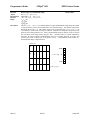
Only enhanced and emphasized attributes are available for formatted, rotated print. These
attributes are not available on a character basis. They affect all of the rotated text after the [ESC] r
command. Enhanced and emphasized attributes must be set before the [ESC] r command is
issued.
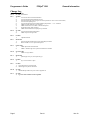
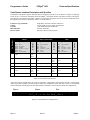
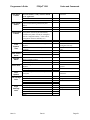
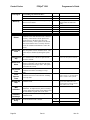
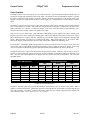
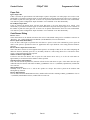
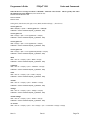
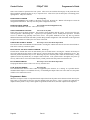
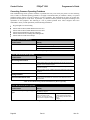
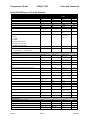
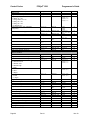
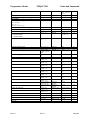
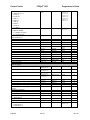
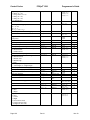
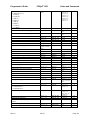
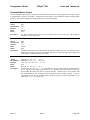
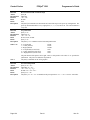
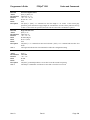
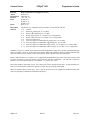
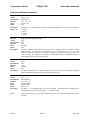
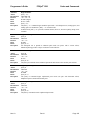
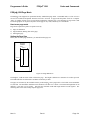
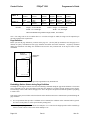
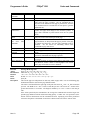
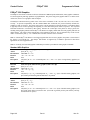
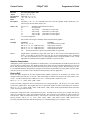
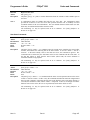
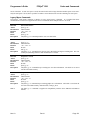
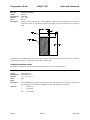
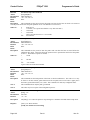
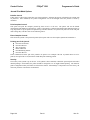
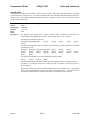
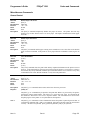
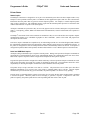
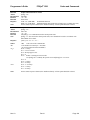
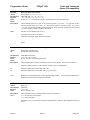
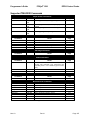
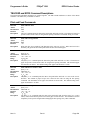
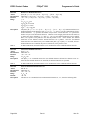
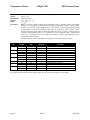
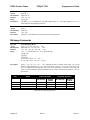
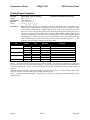
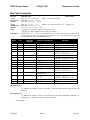
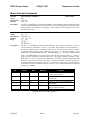
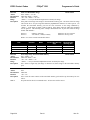
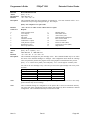
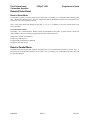
Rotated Print Summary
Function
ASCII
Hexadecimal
Decimal
IPCL
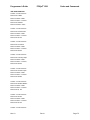
Begin 90 rotated print
[ESC] r <1>
1BH 72H 01H
<27> <114> <1>
&%R1
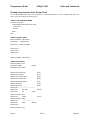
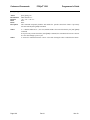
Function
ASCII
Hexadecimal
Decimal
IPCL
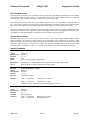
Begin 90 rotated print with line formatting
[ESC] r <5>
1BH 72H 05H
<27> <114> <5>
&%R5
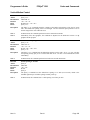
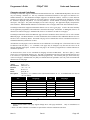
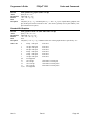
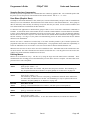
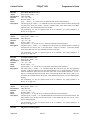
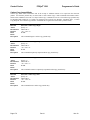
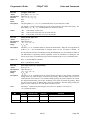
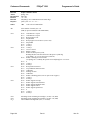
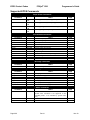
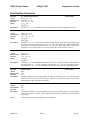
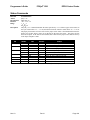
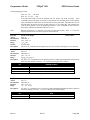
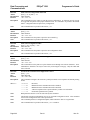
Function
ASCII
Hexadecimal
Decimal
IPCL
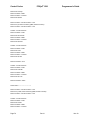
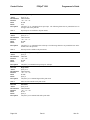
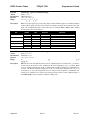
Begin 270 rotated print
[ESC] r <3>
1BH 72H 03H
<27> <114> <3>
&%R3
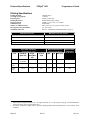
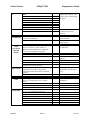
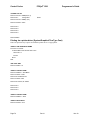
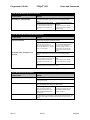
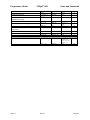
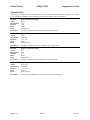
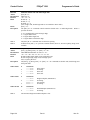
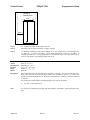
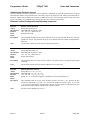
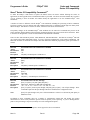
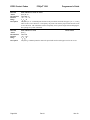
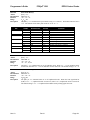
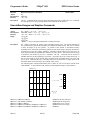
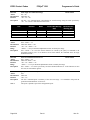
Function
ASCII
Hexadecimal
Decimal
IPCL
EPOS
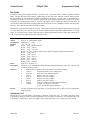
Begin 270 rotated print with line formatting
[ESC] r <7>
1BH 72H 07H
<27> <114> <7>
&%R7
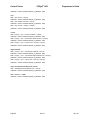
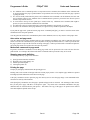
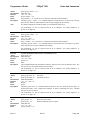
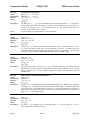
[ESC] T <1>
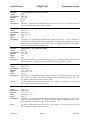
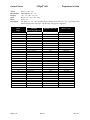
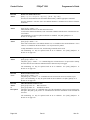
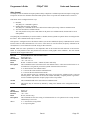
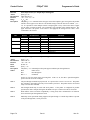
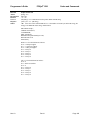
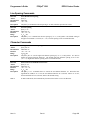
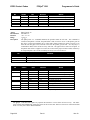
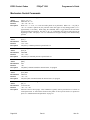
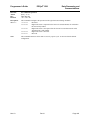
Function
ASCII
Hexadecimal
Decimal
IPCL
EPOS
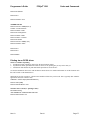
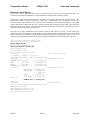
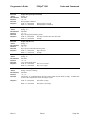
Begin 90 rotated print with two pass font
[ESC] r <9>
1BH 72H 09H
<27> <114> <2>
&%R9 or &%RX09
none
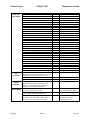
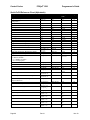
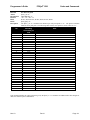
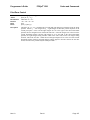
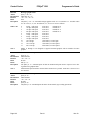
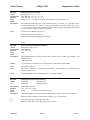
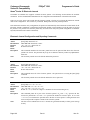
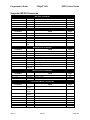
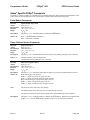
Function
ASCII
Hexadecimal
Decimal
IPCL
EPOS
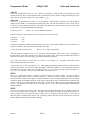
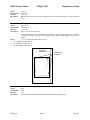
Begin 90 rotated print with two pass font and line formatting
[ESC] r <13>
1BH 72H 0BH
<27> <114> <13>
&%RX13
none
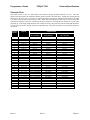
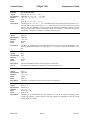
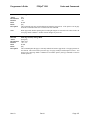
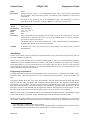
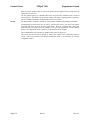
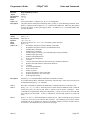
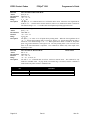
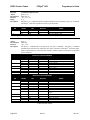
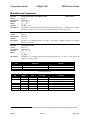
Function
ASCII
Hexadecimal
Decimal
IPCL
EPOS
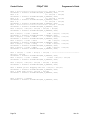
Begin 270 rotated print with two pass font
[ESC] r <11>
1BH 72H 0BH
<27> <114> <11>
&%RX11
none
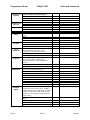
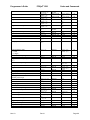
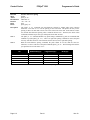
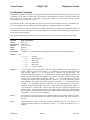
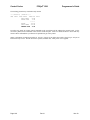
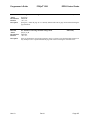
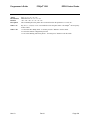
Function
ASCII
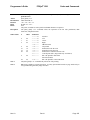
Begin 270 rotated print with two pass font and line formatting
[ESC] r <15>
Nov-10
Rev N
Page 129